
One chart, any key
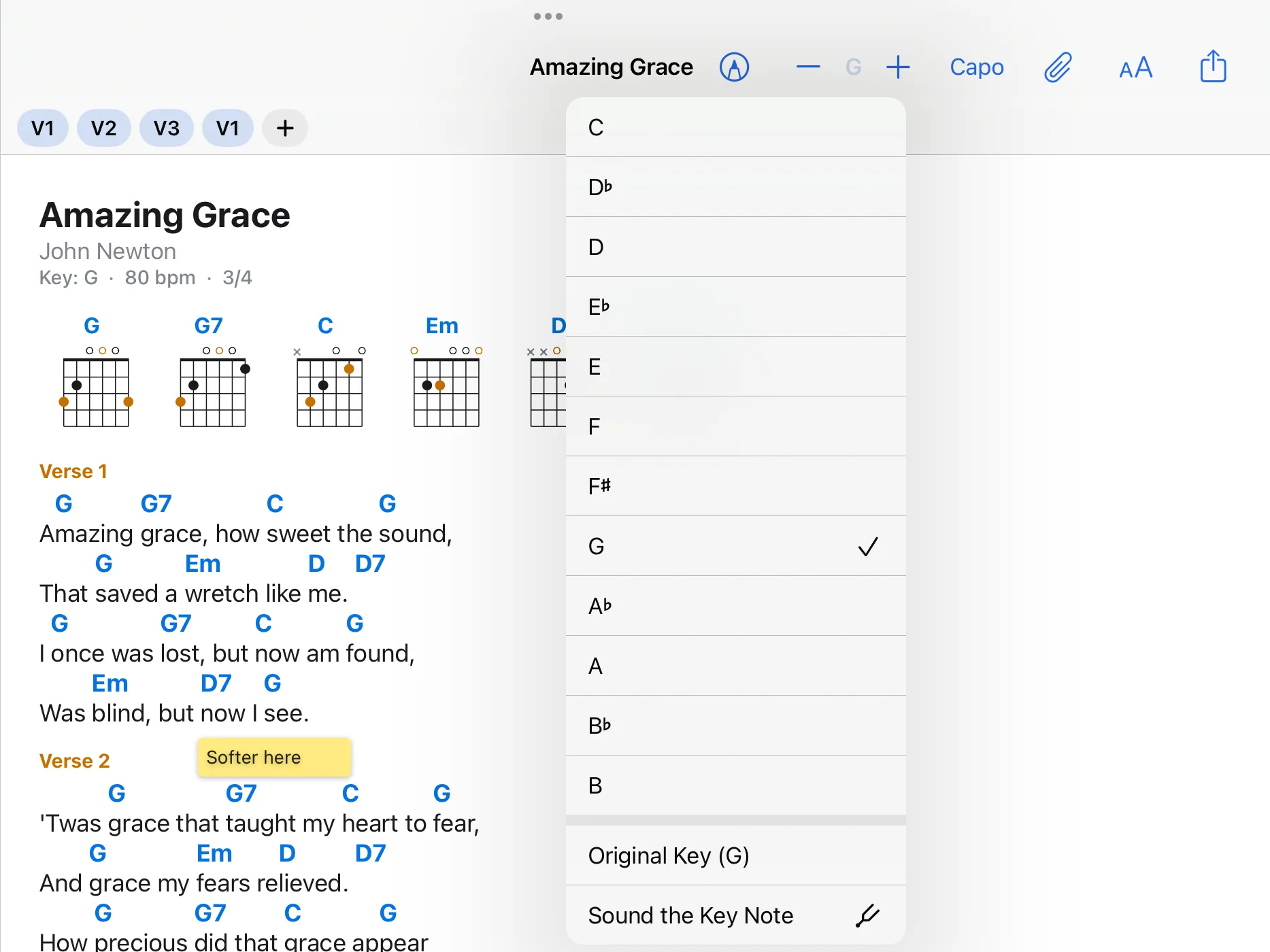
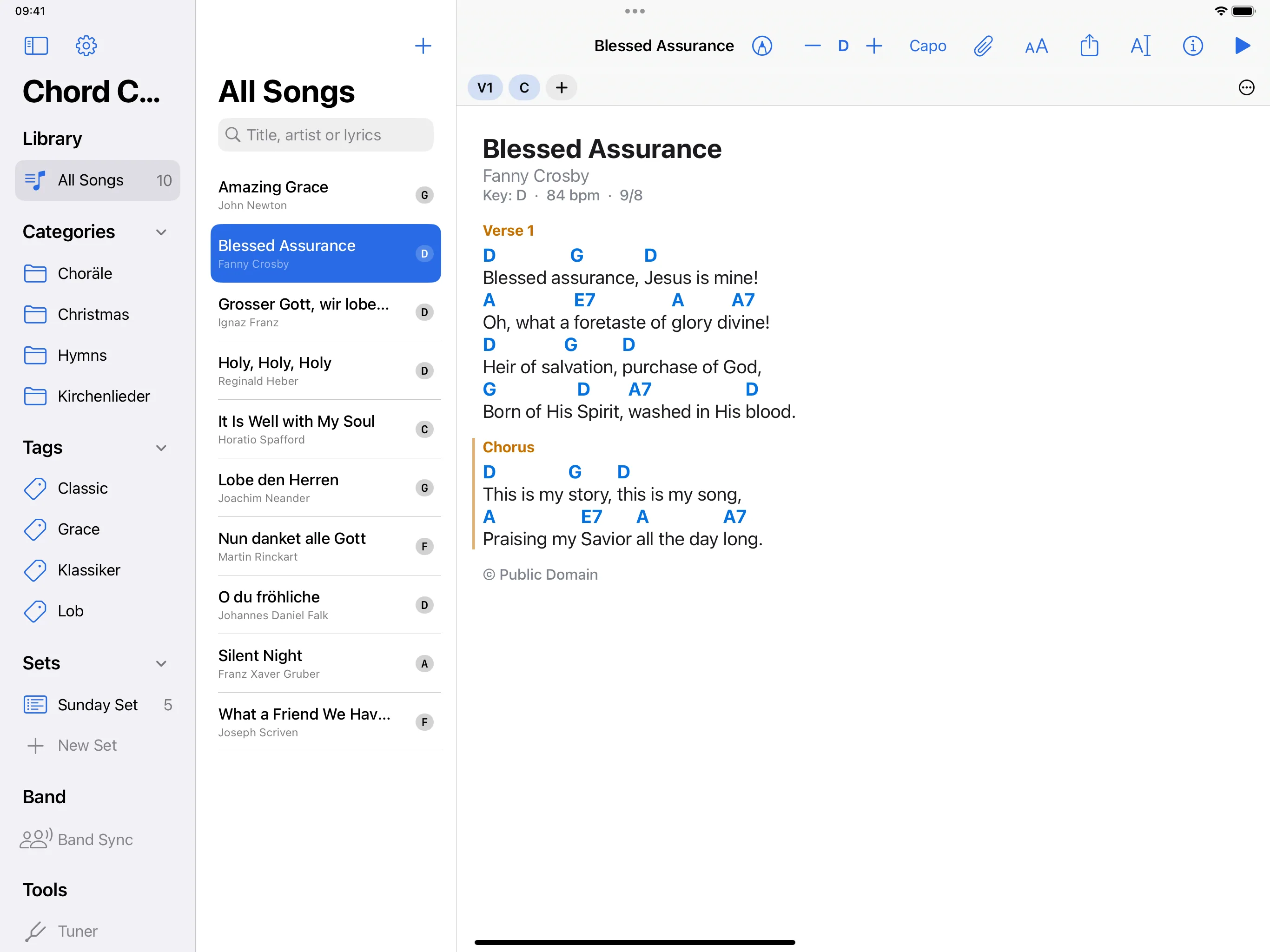
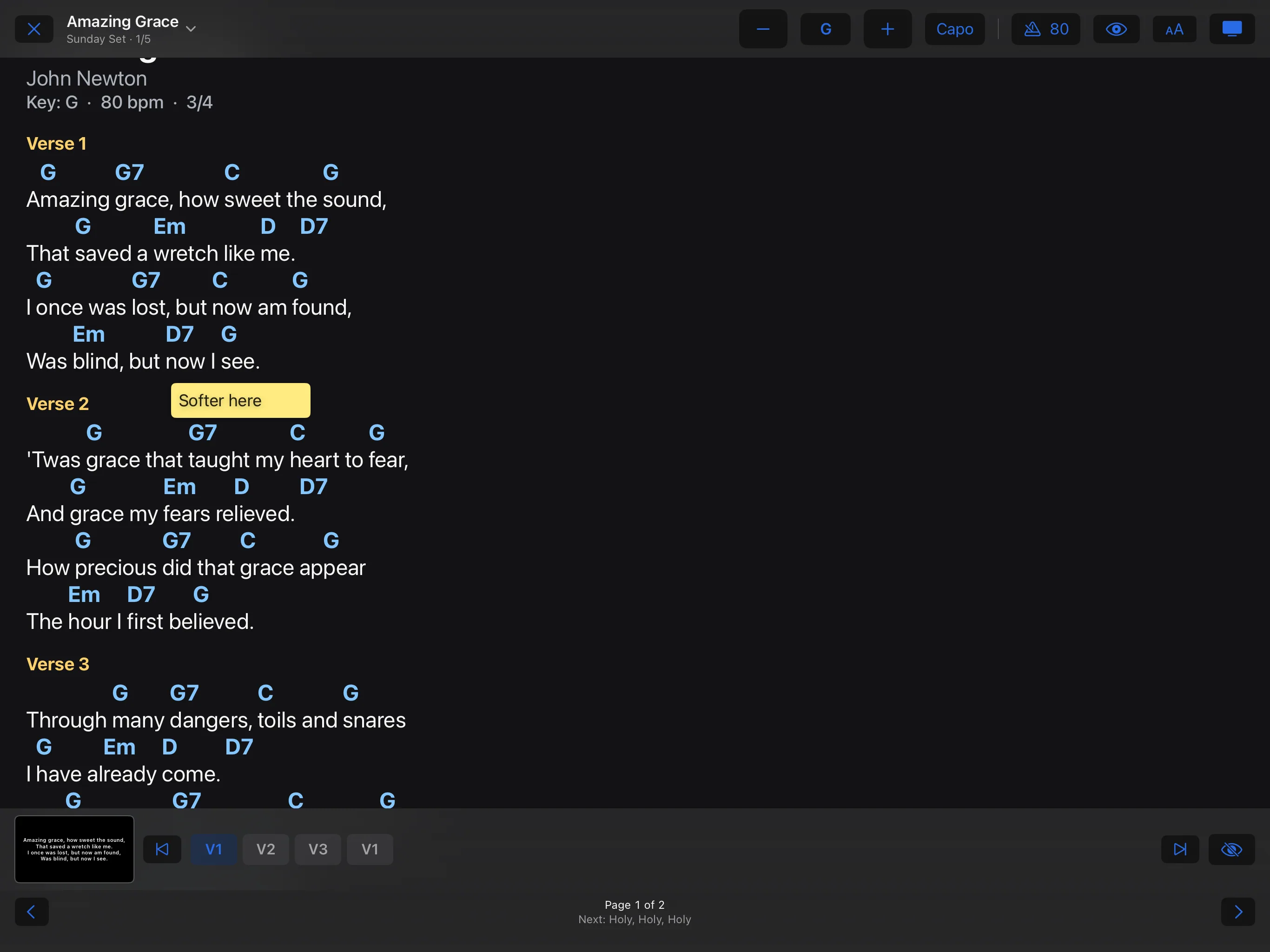
Plus and minus move the song by a semitone, and a tap on the key shows all twelve keys. The accidentals are right for the new key. Your choice applies to this device and leaves the file as it is.
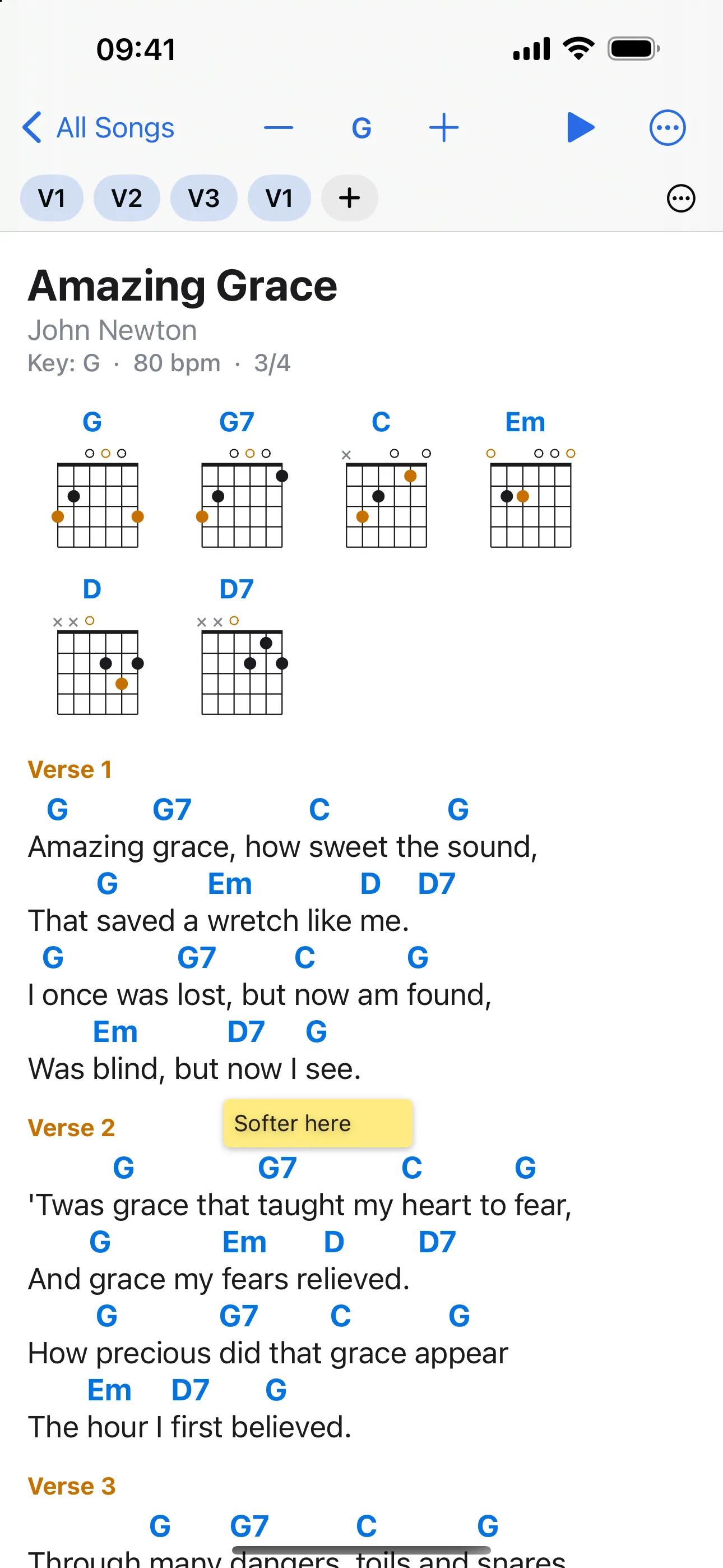
What version 1.0 of Chord Charts Pro does. It is one app for iPhone, iPad and Mac with the same features on all three; on the iPhone the layout rearranges itself for the smaller screen.
Plus and minus move the song by a semitone, and a tap on the key shows all twelve keys. The accidentals are right for the new key. Your choice applies to this device and leaves the file as it is.
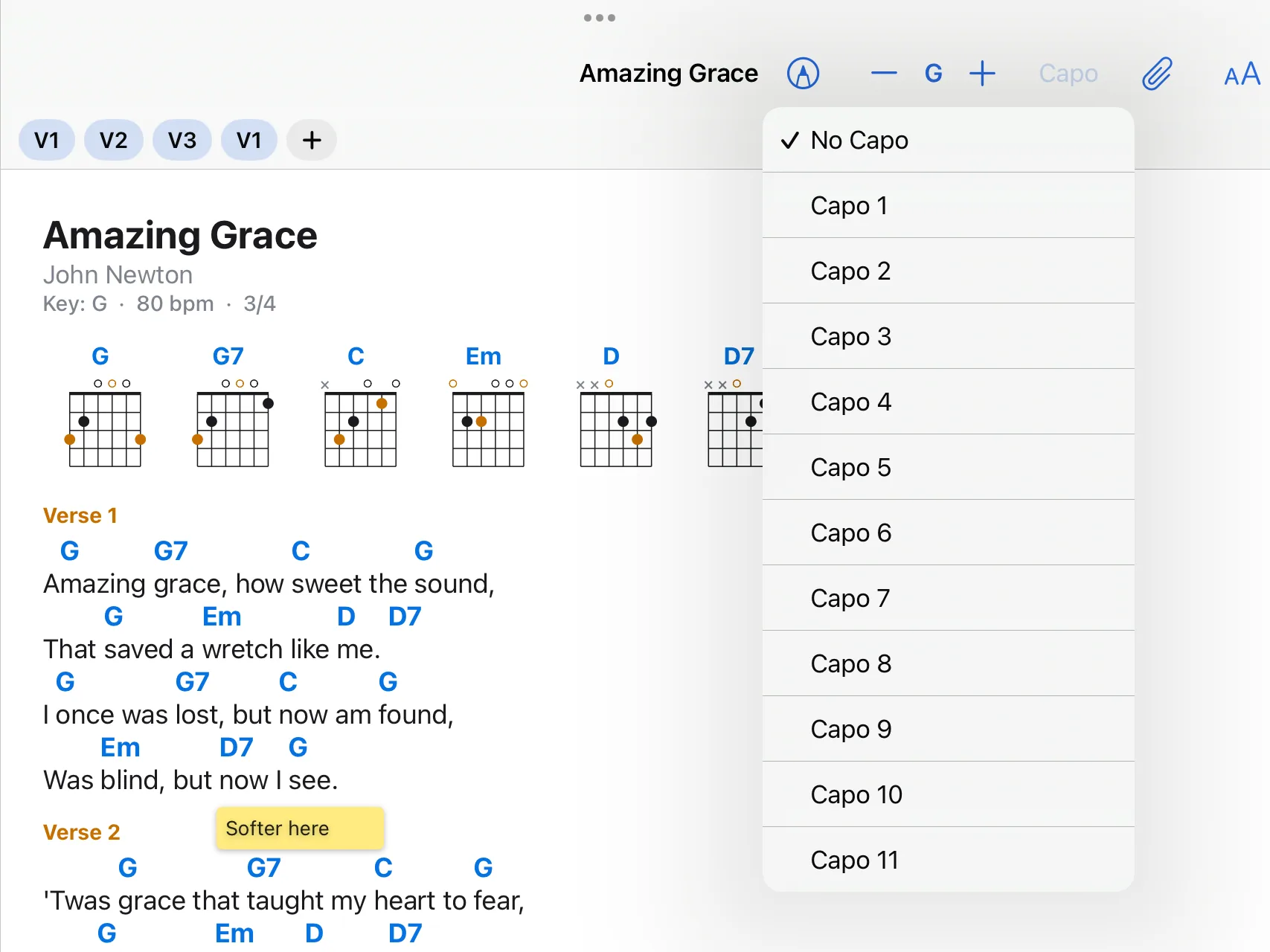
Choose a fret and the chart shows the chords you play with the capo on. If you like, the sounding chords stand beside them.
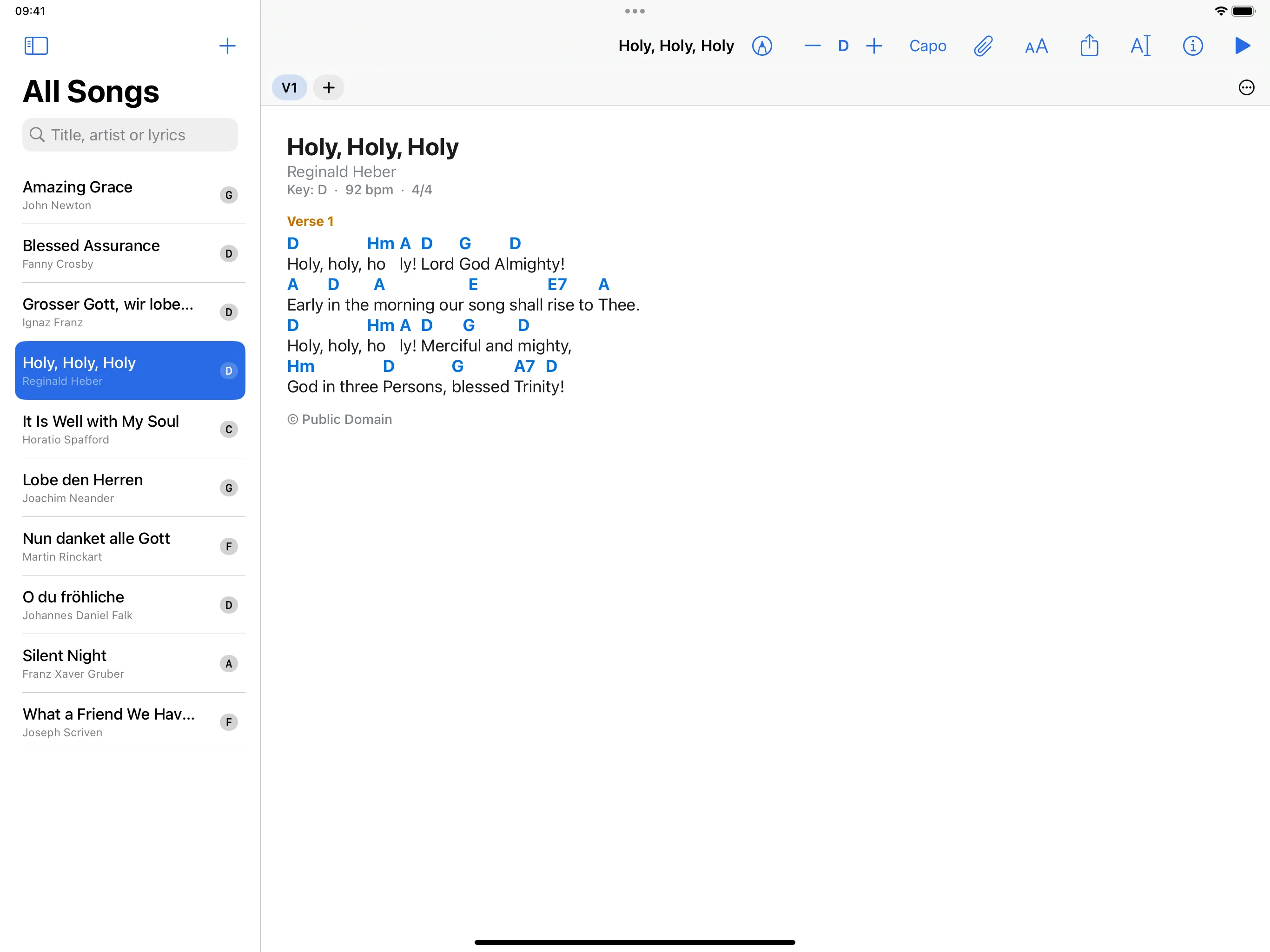
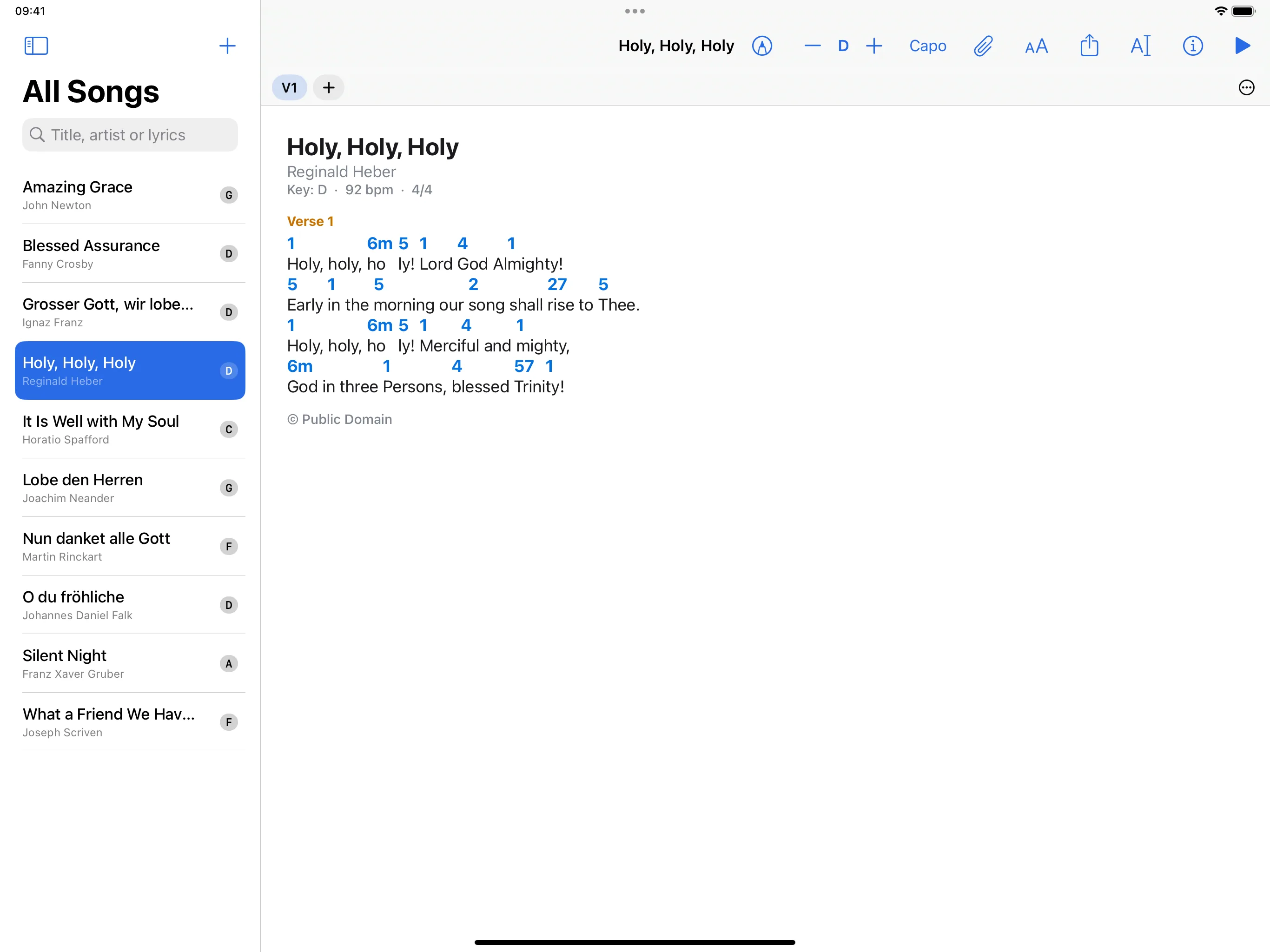
Letters, German notation with H and with B for the lowered H, Nashville numbers, Roman numerals, or solfège with fixed or movable do. For transposing instruments the chart can be written in B♭, E♭ or F.
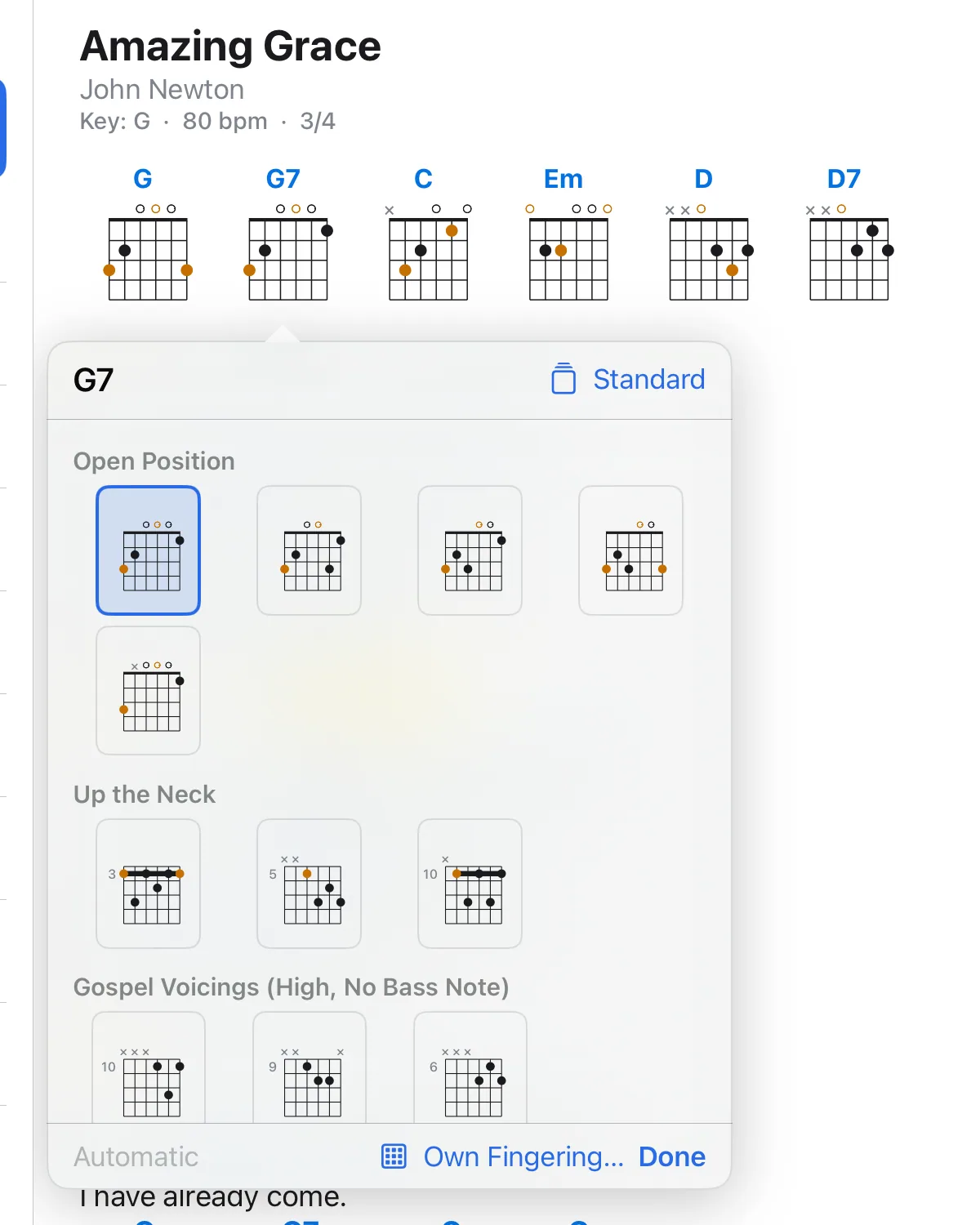
A diagram for every chord of the song, for guitar, ukulele, piano, mandolin, banjo and bass. The diagrams follow key and capo, can be mirrored for left-handed players and can show tablature. Tap a diagram to choose another fingering, for guitar also high three-note voicings without a bass note. Your choice is saved in the song.
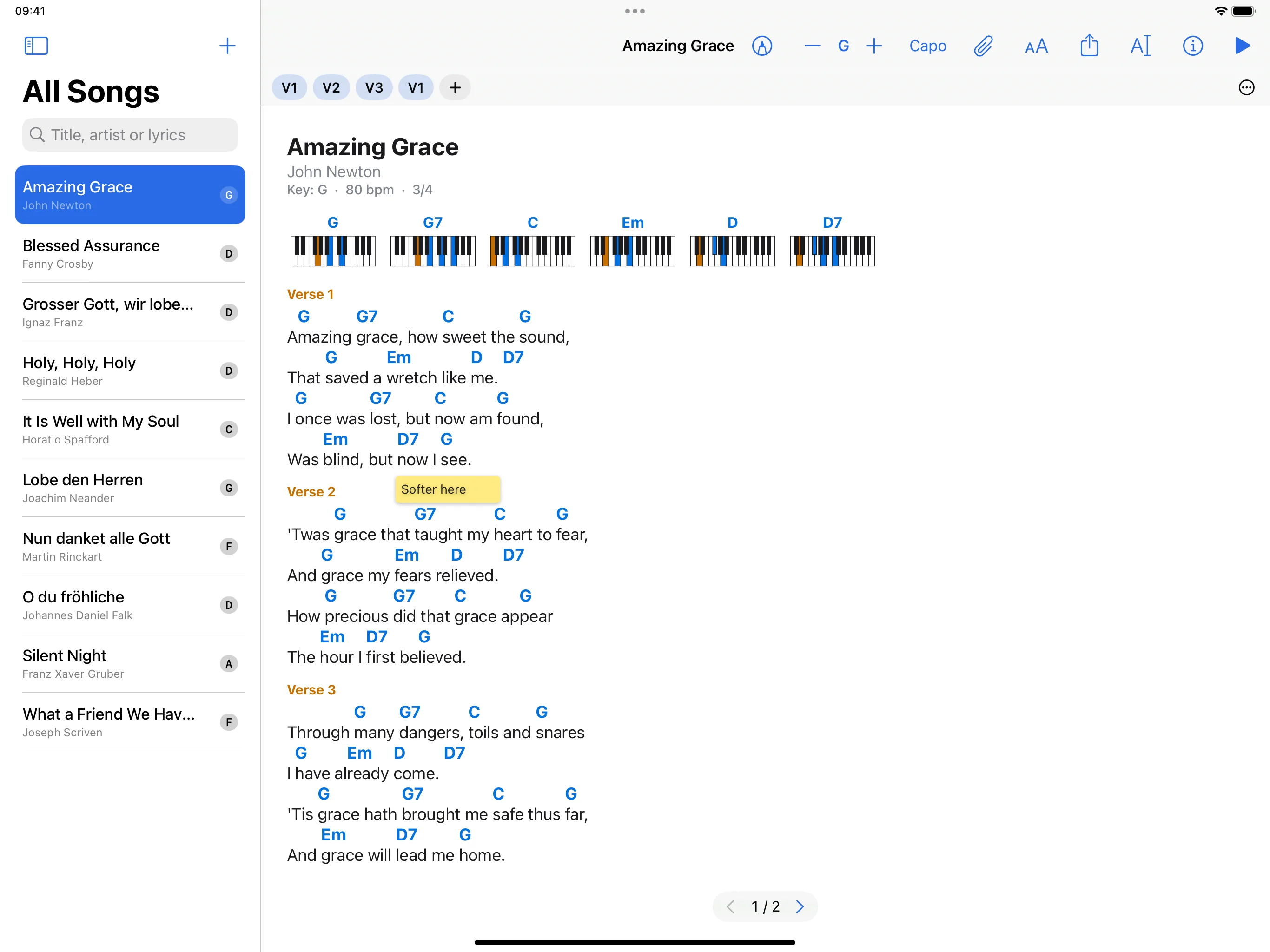
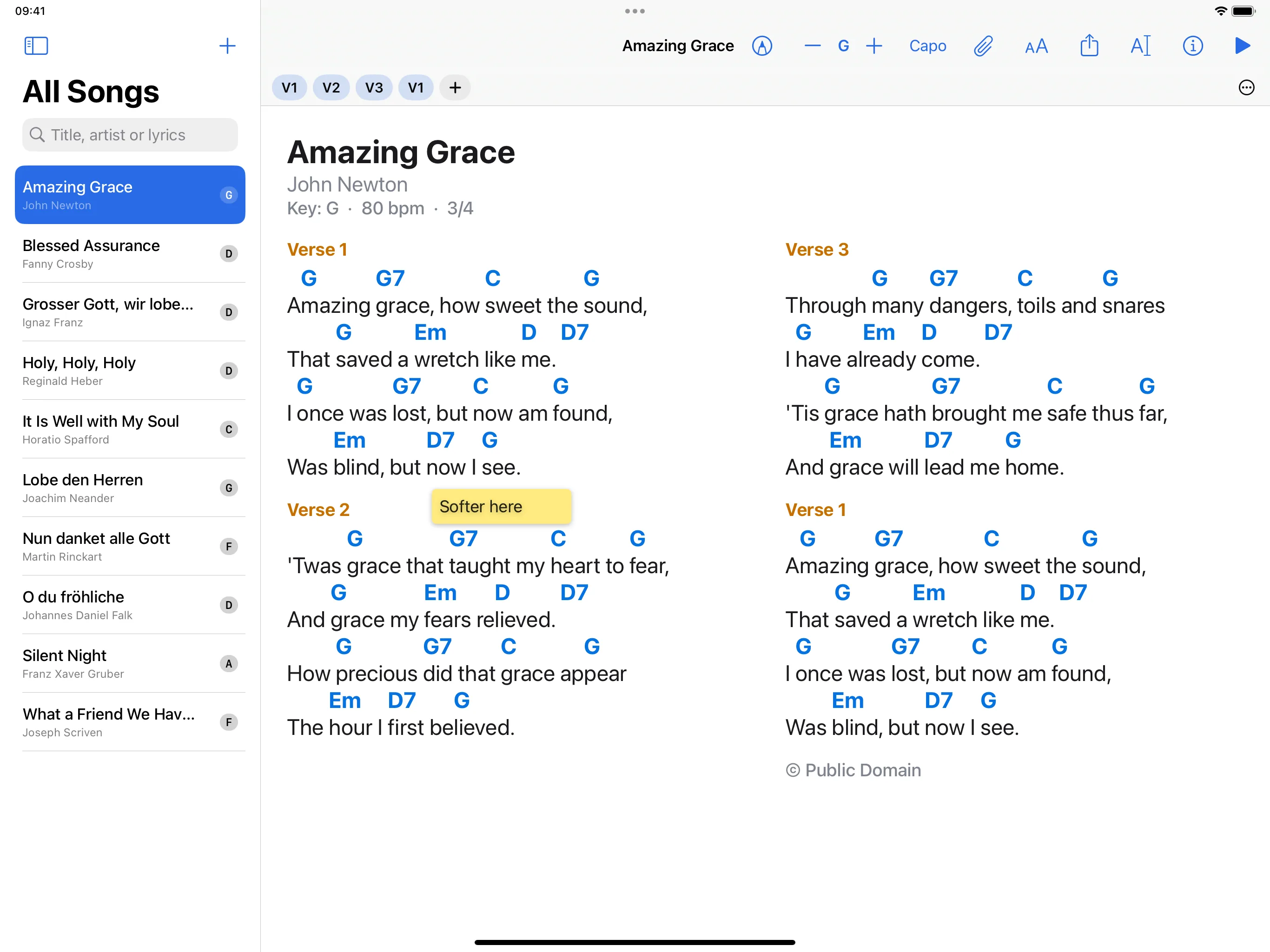
Larger or smaller text, one to three columns, pages to turn or one long sheet to scroll. Chords, bass notes, diagrams and the other details on the chart can each be shown or hidden, also in the middle of a performance. The app follows the light or dark appearance of the system, or stays in the one you choose.
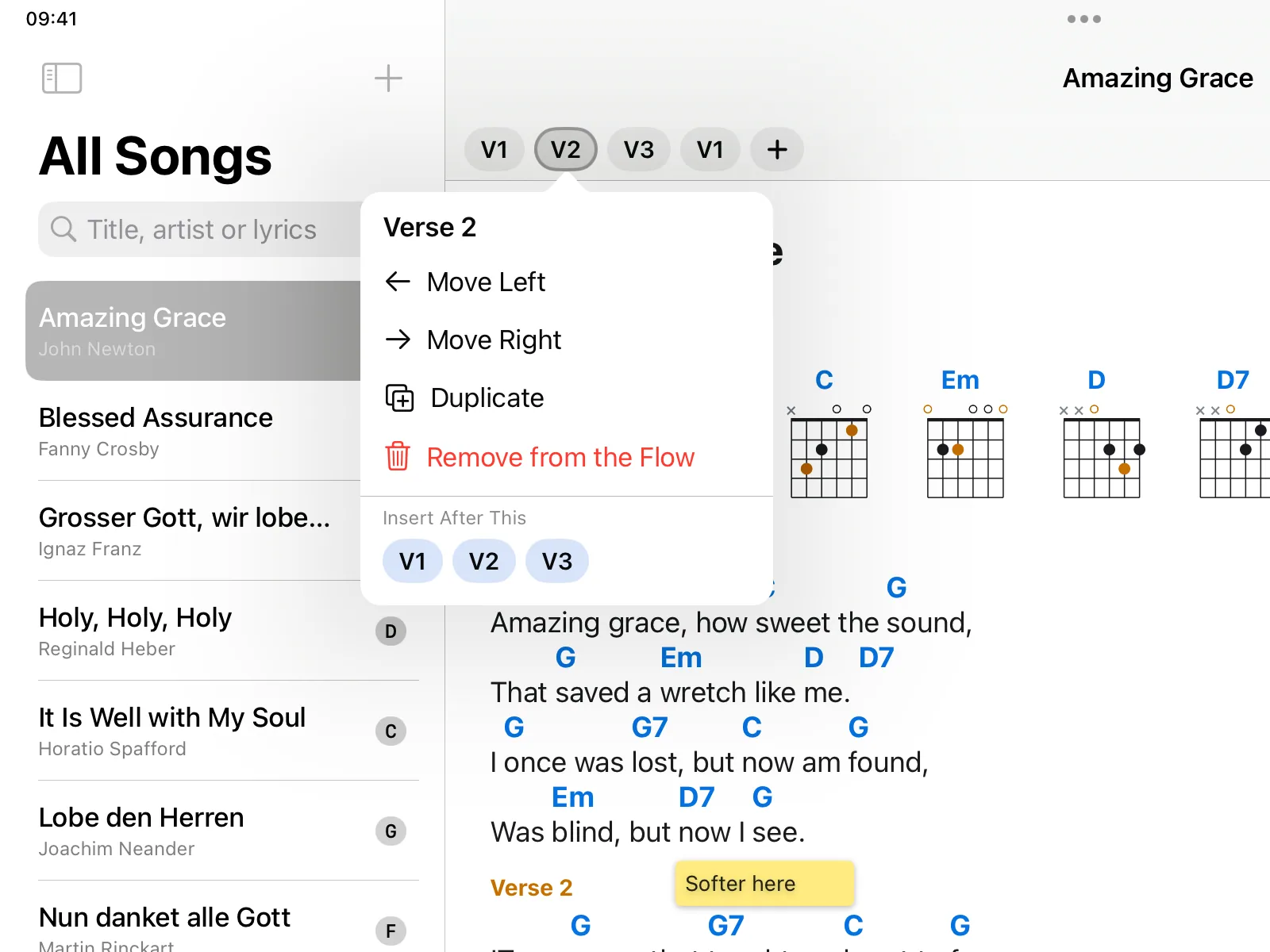
Above the chart stand the parts of the song in the order they are played, for example V1 C V2 C B C. The chorus is written once and played three times. In a performance the flow can be shown as a narrow row; a tap on a part jumps to it.
The performance view fills the screen with the chart. Turn pages with a tap, a swipe, a keyboard, a Bluetooth pedal or MIDI. Bluetooth pedals that send arrow or page keys work without any setup, and you decide what each key, pedal and tap zone does.
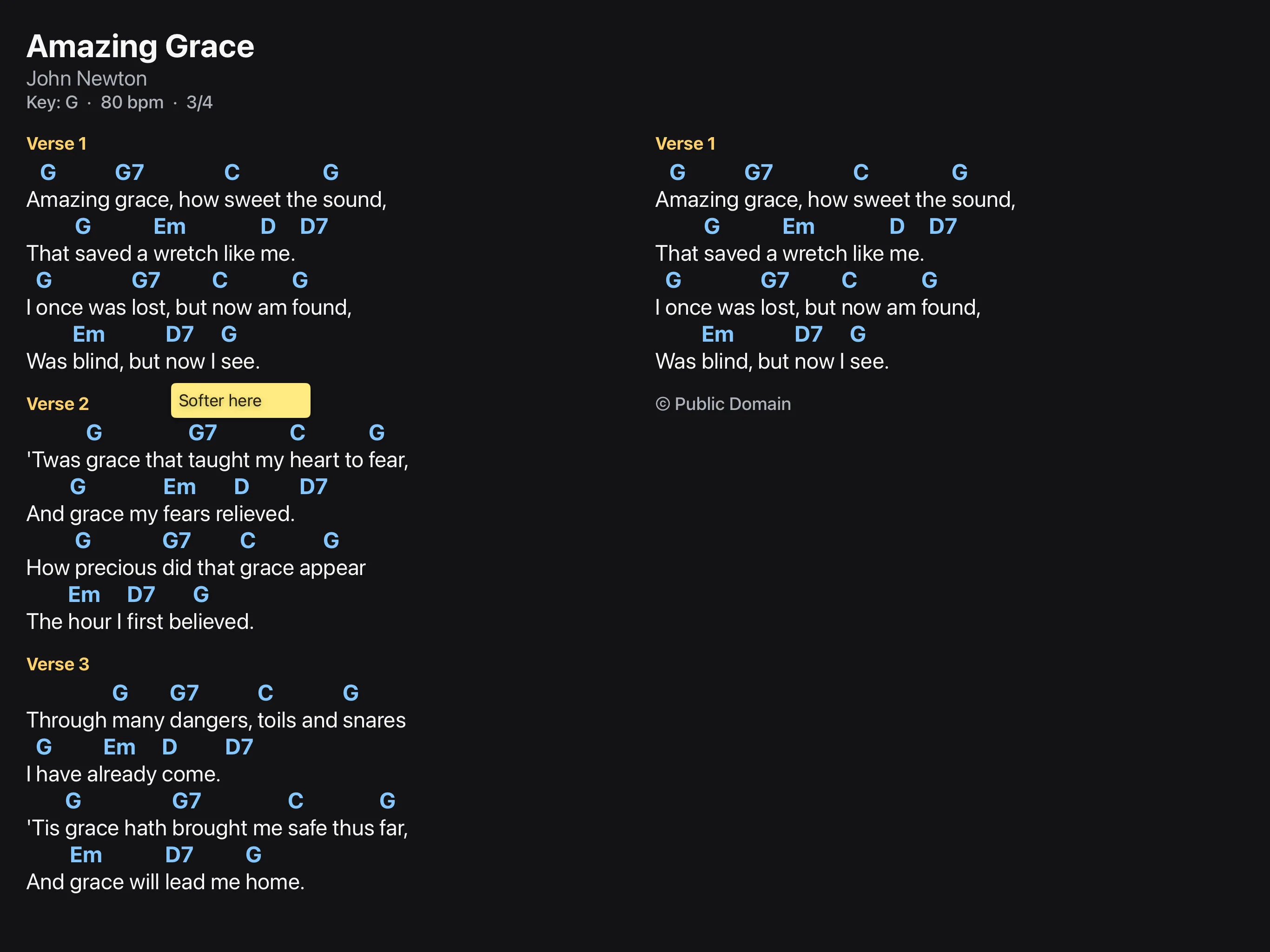
A set is a list of songs for one occasion. The key and capo you choose in a set apply to that set only. In a performance, turning the page at the end of a song leads into the next one.
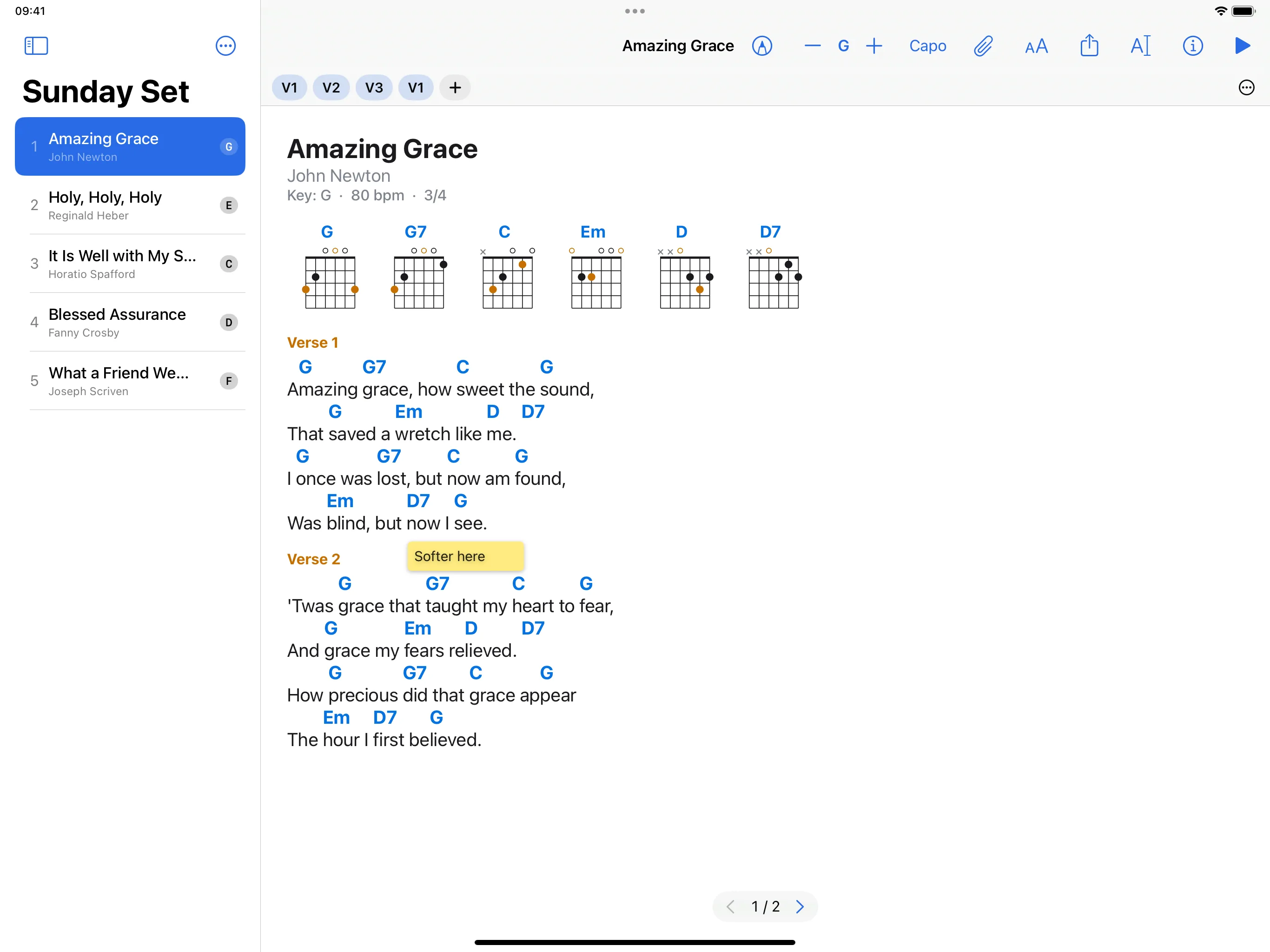
A tap on the song title shows the songs of the set. A few letters find any song in the library; it is played next, and the set itself stays as it is. If you want, the app first shows which song follows before a page turn leaves the current one, so one press too many on the pedal does no harm.
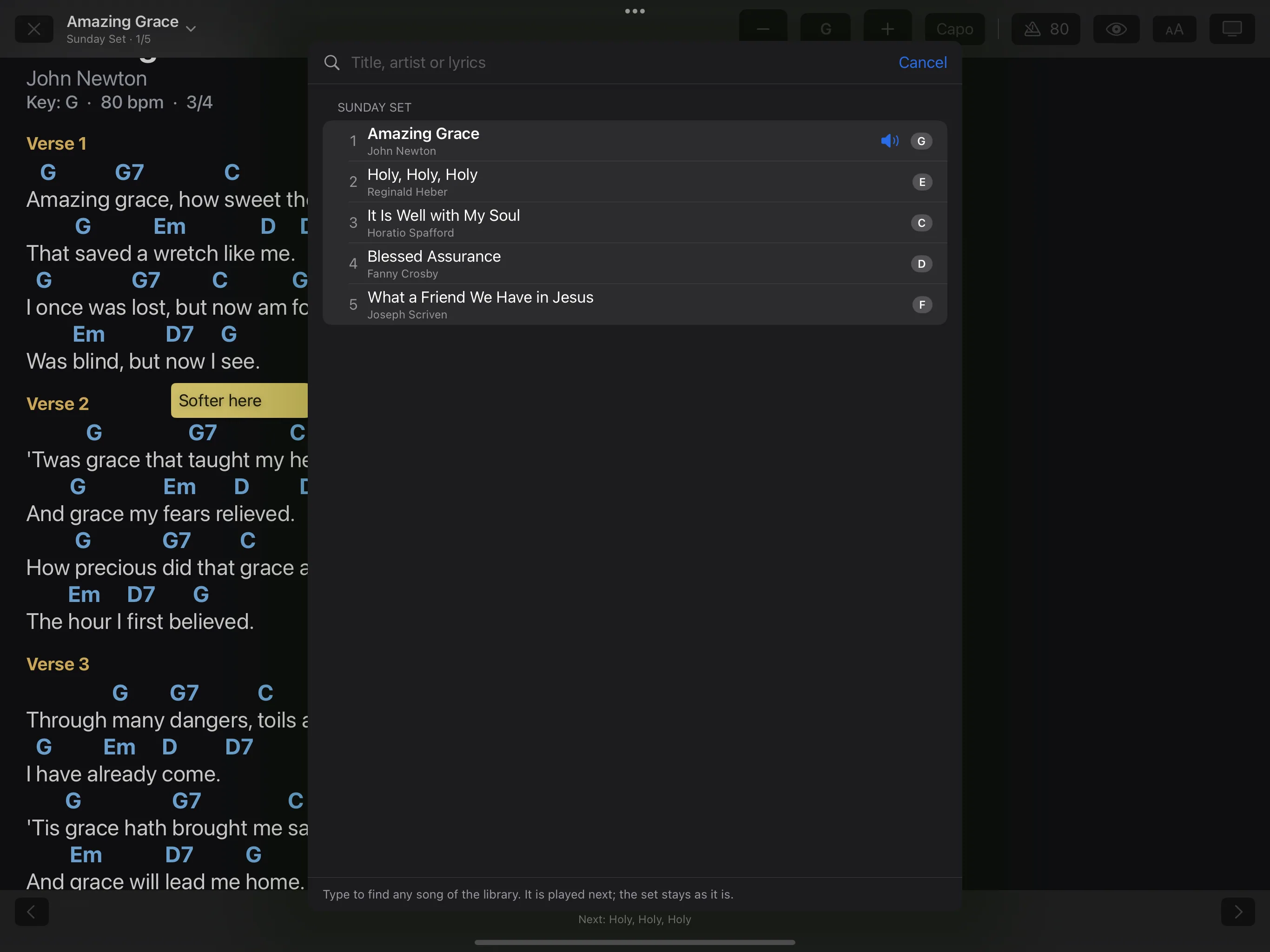
Tempo and time signature come from the song. The beat flashes as a light along the top edge of the screen, the first beat in another colour. The click can be heard or switched off.
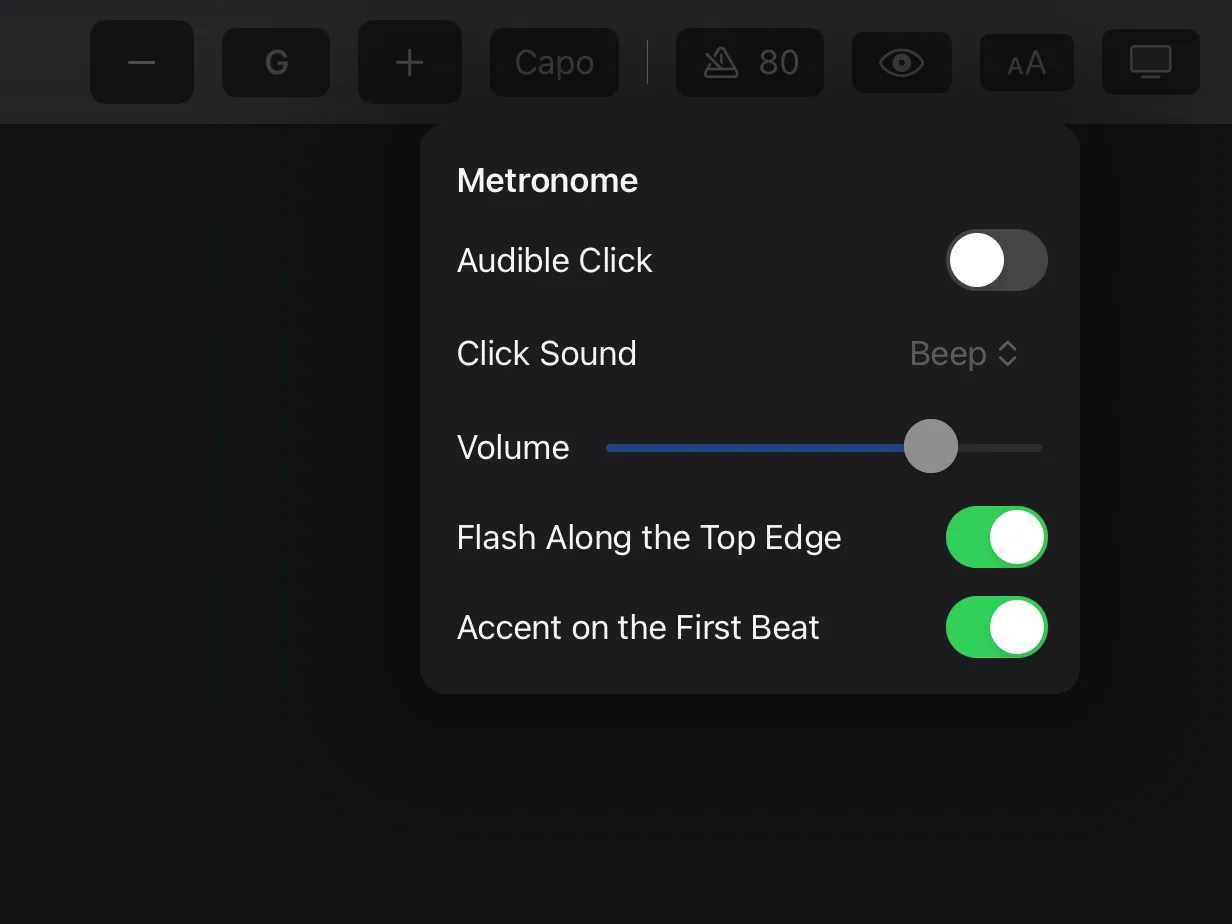
A scrolling chart runs by itself, at a speed that fits the duration of the song. You can adjust the speed.
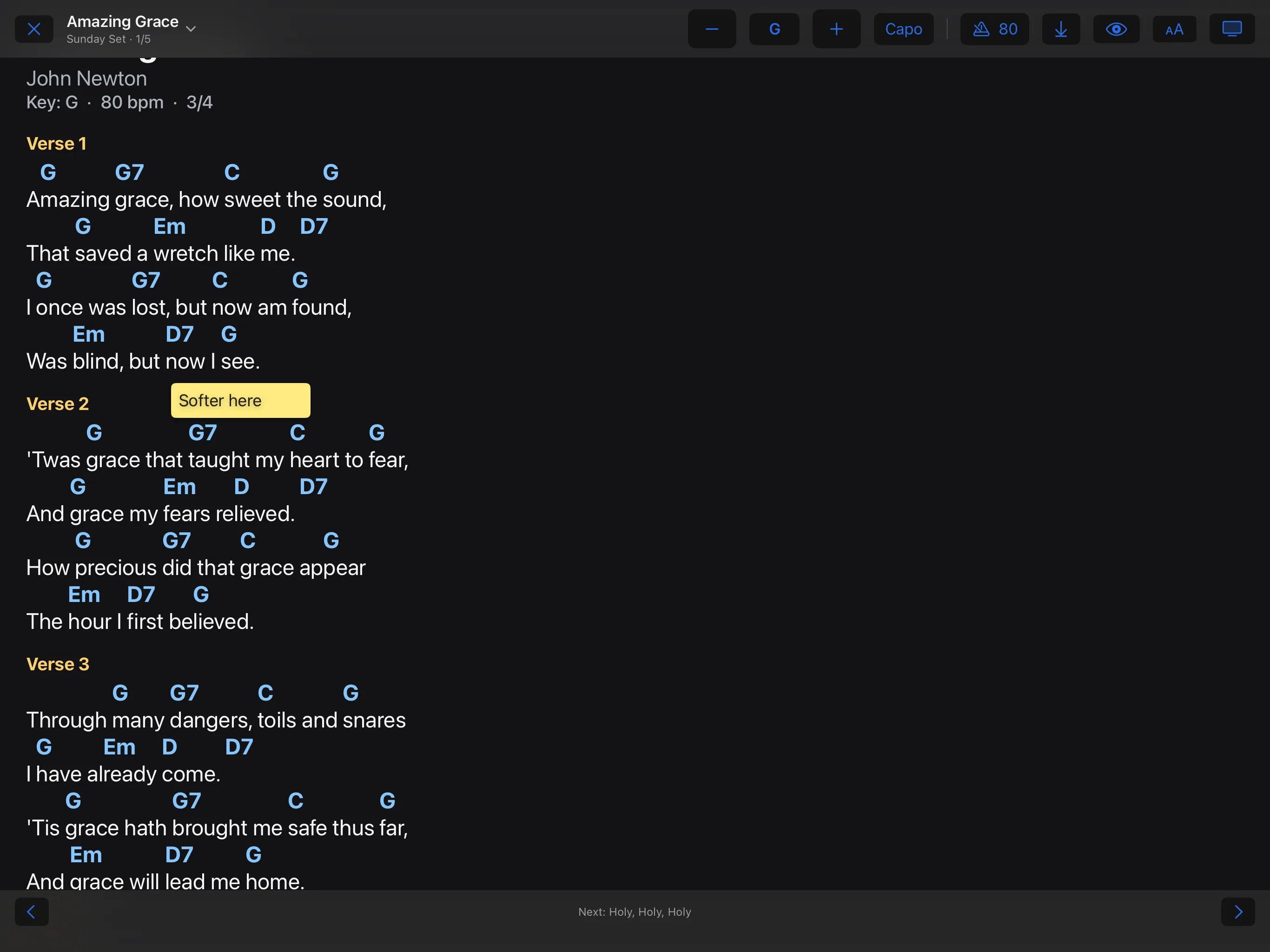
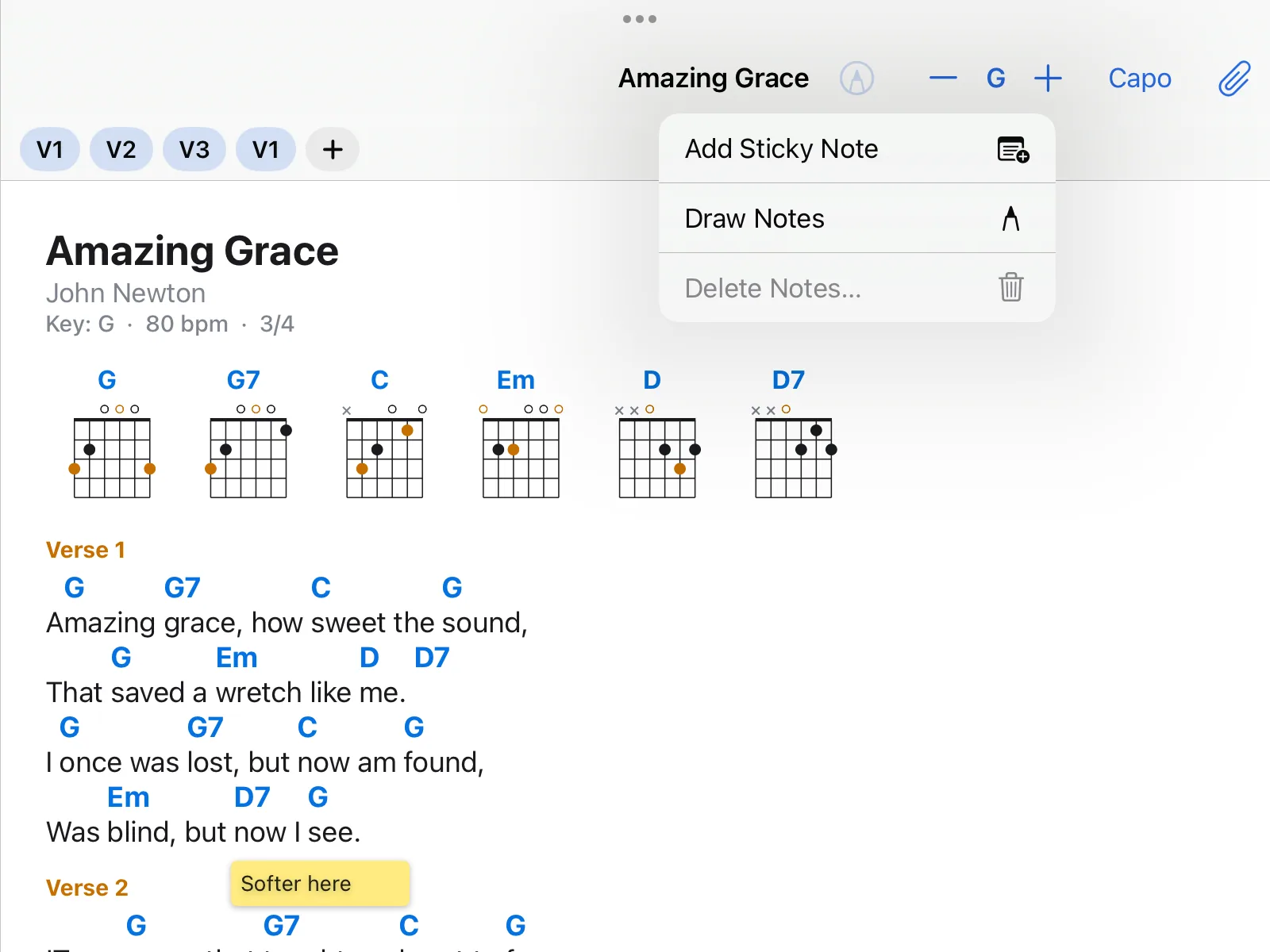
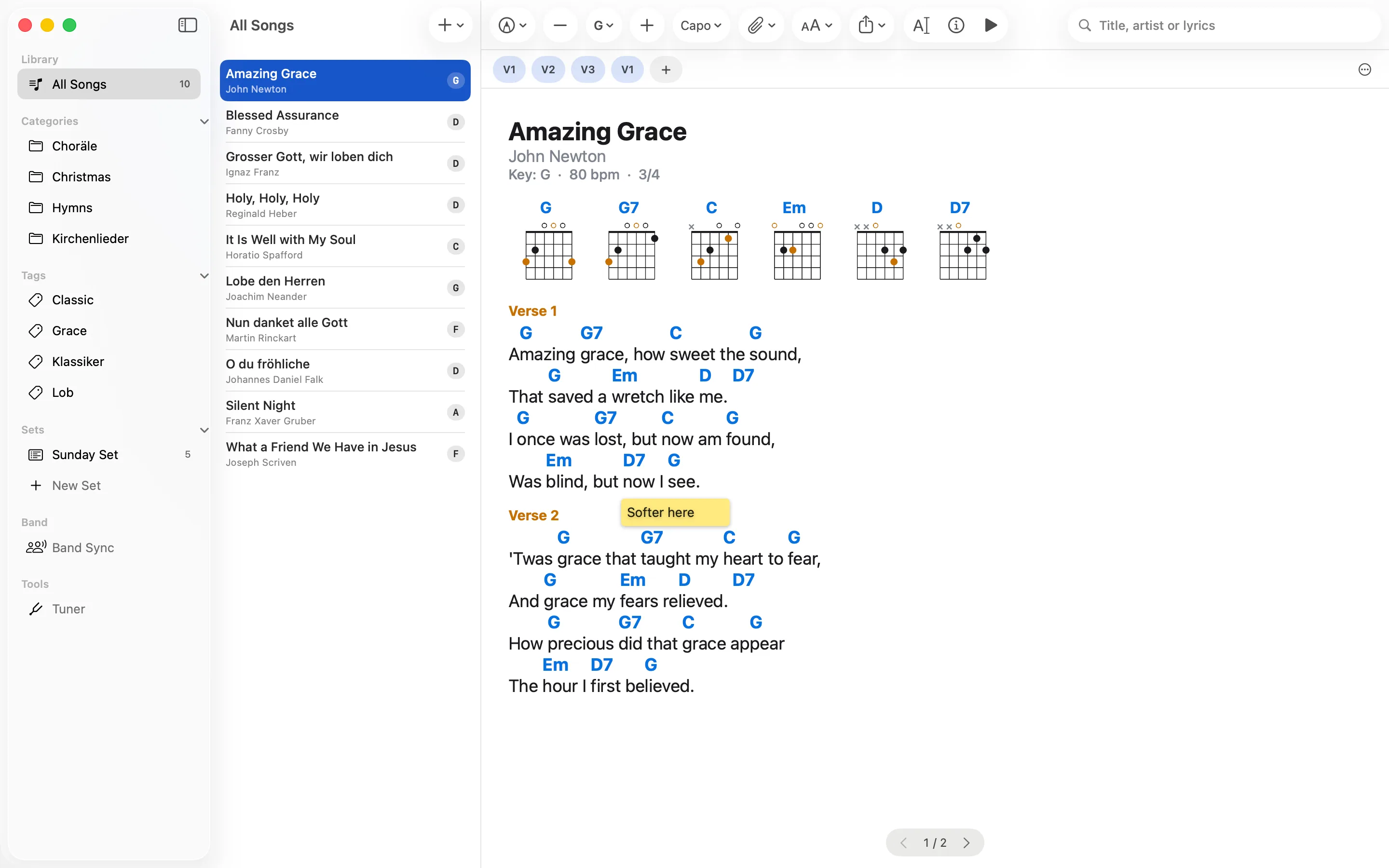
Write on the chart with Apple Pencil or a finger, or add sticky notes with typed text. On a chord chart every stroke and every note belongs to its line of text and moves with it when you transpose, enlarge the text or the lines wrap differently. Drawing by hand works on iPhone and iPad; the Mac shows the notes.
PDFs and photos of sheet music become songs too, and a song can have a chord chart and several PDFs. In a performance a PDF behaves like a chord chart: pages or scrolling, pedal, autoscroll, pencil and sticky notes. A PDF with many songs can be split into single songs. Transposing and chord diagrams are for chord charts written as text, not for PDFs.
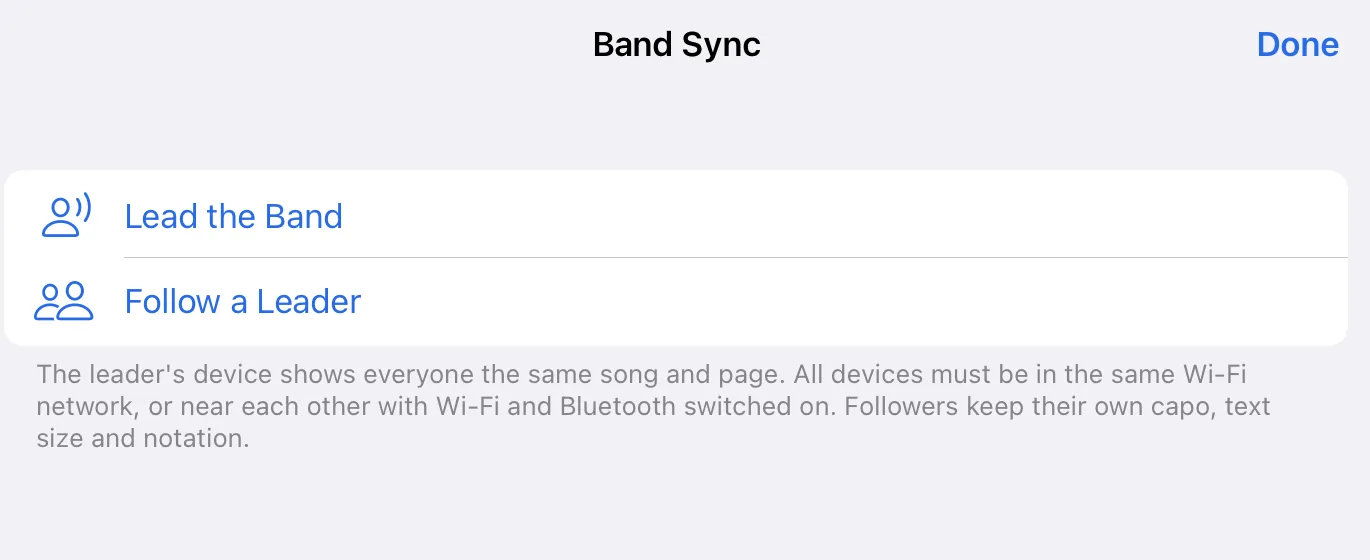
One device leads and the others follow: the same song, the same key, the same page. It works without internet, on the same Wi-Fi or close together with Wi-Fi and Bluetooth switched on. The leader confirms each device that wants to follow. Everyone keeps their own capo, text size and notation.
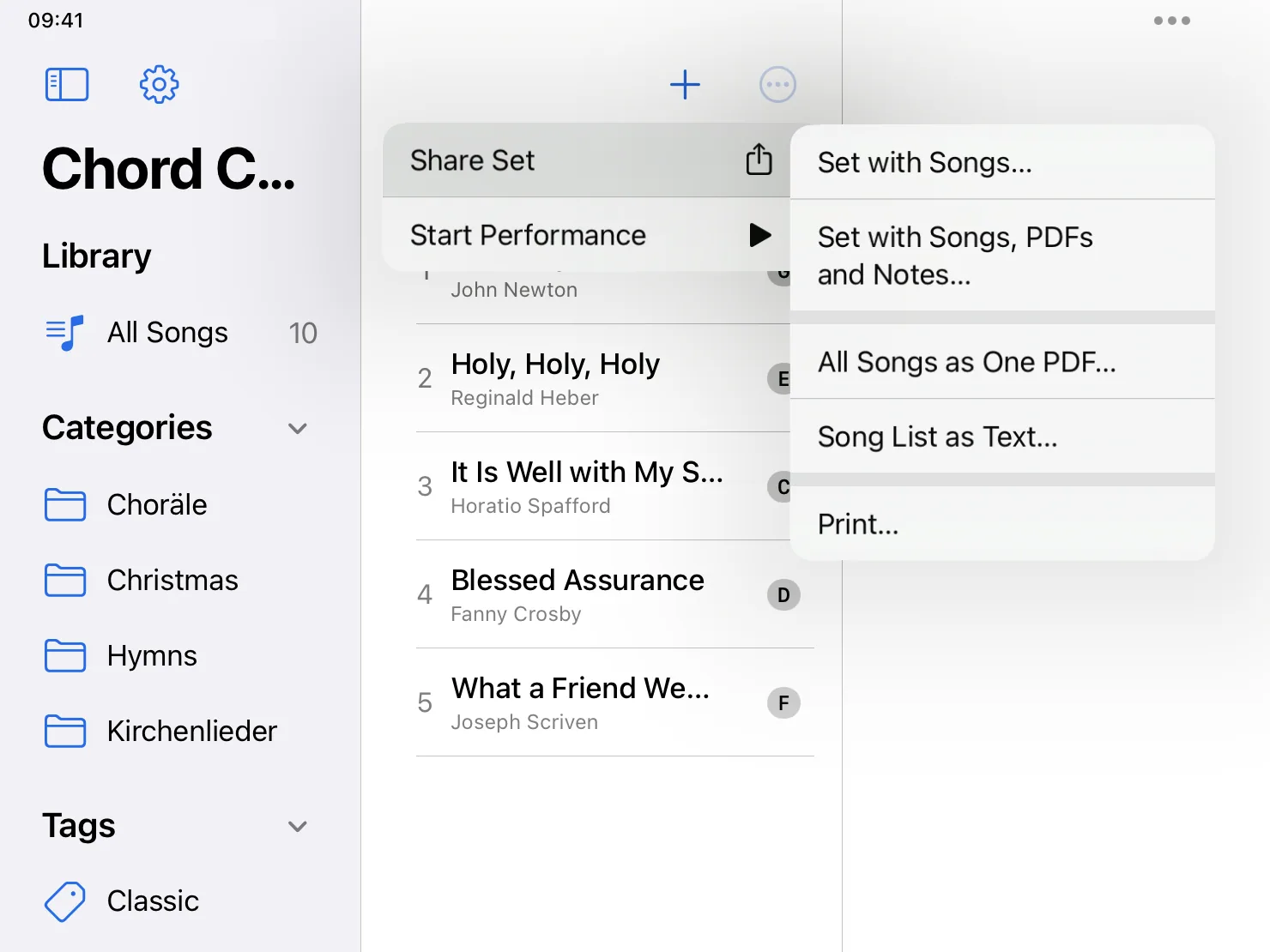
A set goes out as a single file with all its songs, and with PDFs and notes if you want. Whoever opens it gets the set and the songs; nothing they already have is overwritten. For those who play from paper there are all songs as one PDF, and printing.
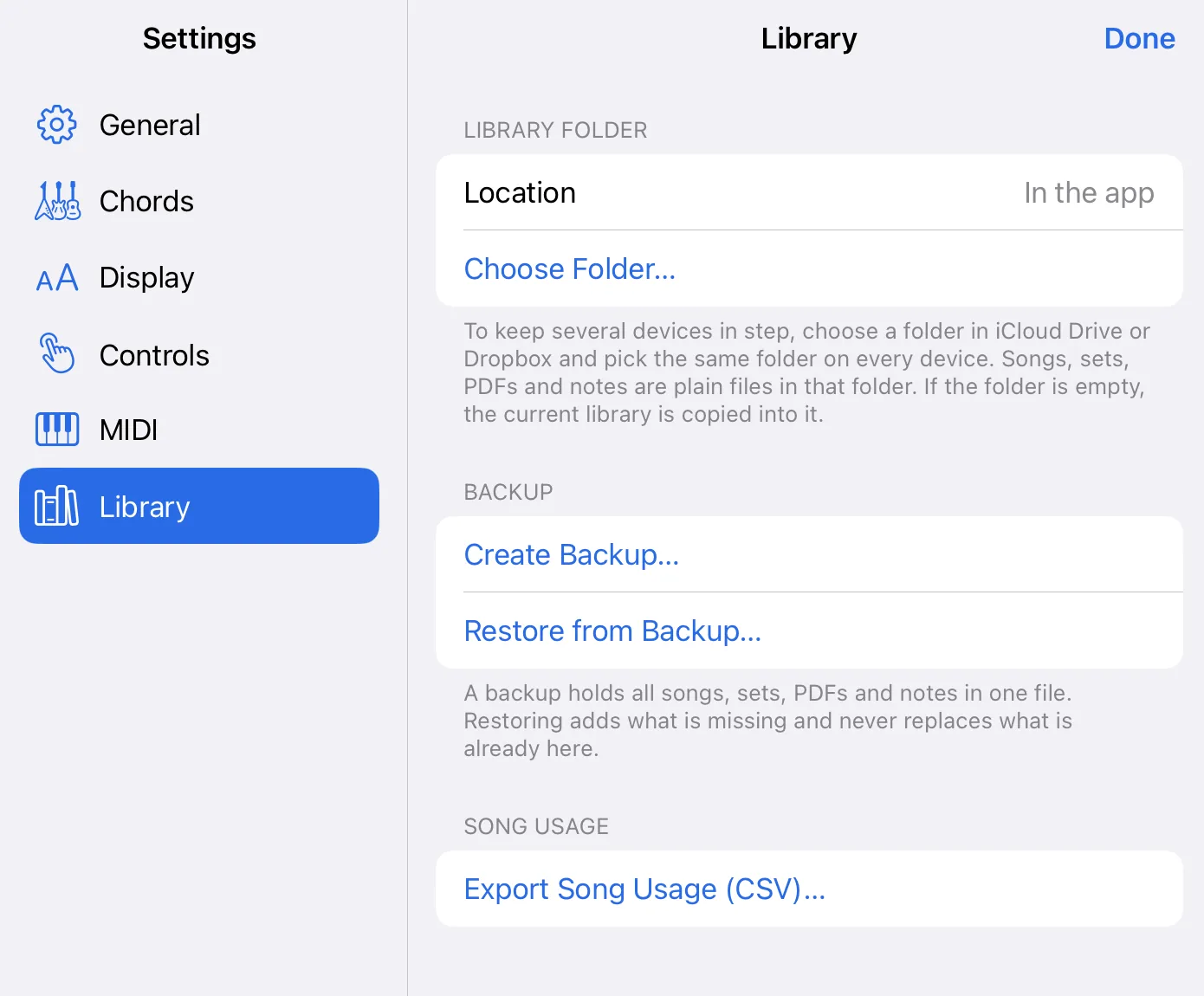
The app reads chord charts in ChordPro and OnSong format and plain text with chords above the lyrics, and converts none of them. Export a song as ChordPro, OnSong or PDF, or put the whole library into one backup file.
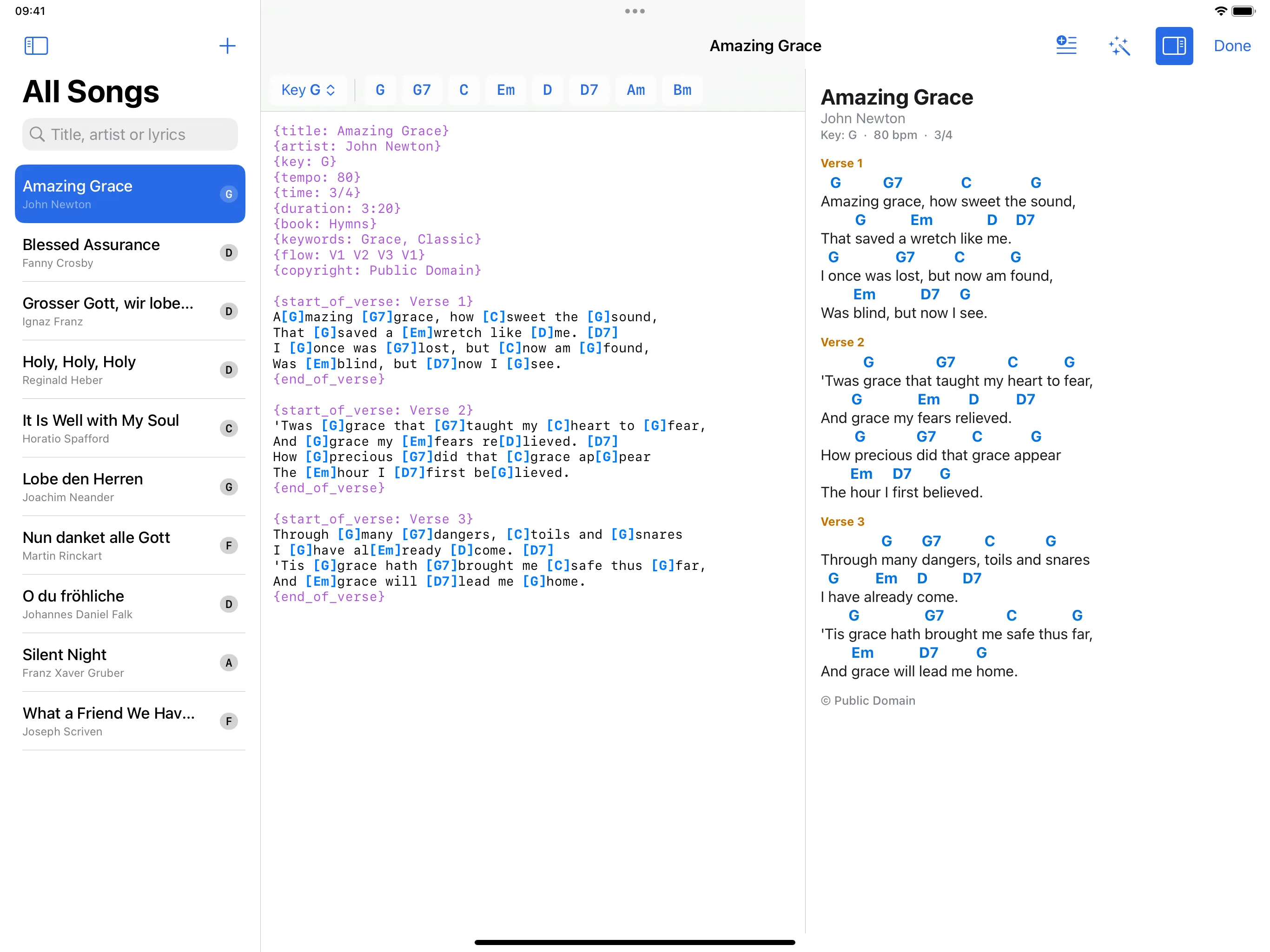
The editor shows the text on the left and the finished chart on the right, which follows as you type. A row of buttons inserts the chords of the song and of its key. A song typed with the chords above the lyrics is turned into chords in brackets with one command.
The search looks in titles, artists, tags, lyrics and the text of PDFs. Categories and tags come from the song files and order the library in the sidebar.
Choose a folder as your library folder, for example in iCloud Drive, and the same one on each device. Songs, sets, PDFs and notes are ordinary files in that folder. The cloud service keeps the devices in step, not the app.
Show the lyrics to the audience, part by part and without chords, or the same chart to the band. On iPad and iPhone this goes through a connected display or AirPlay, on the Mac through a window of its own.
A song can send MIDI commands when it opens in a performance, for example a program change to an effects unit, and a controller can call up a song. The app can send MIDI clock at the tempo of the song. It connects over USB, Bluetooth and Wi-Fi and sends only to devices you have switched on for it.
One audio file can belong to a song and be started and stopped during the performance. The tuner shows the pitch of your instrument through the microphone; nothing is recorded. The app can also sound the key note of a song, for a choir for example.
Chord Charts Pro is free: no in-app purchases, no subscription, no ads. There is no account, and the app collects no data. Everything works without internet. Privacy policy
Everything above is in version 1.0. What follows is planned and not promised, and it has no date.