
Transpose and capo
Play a song in another key, with a capo or with the chords written another way. The song file stays as it is, unless you rewrite the song for good.
Another key
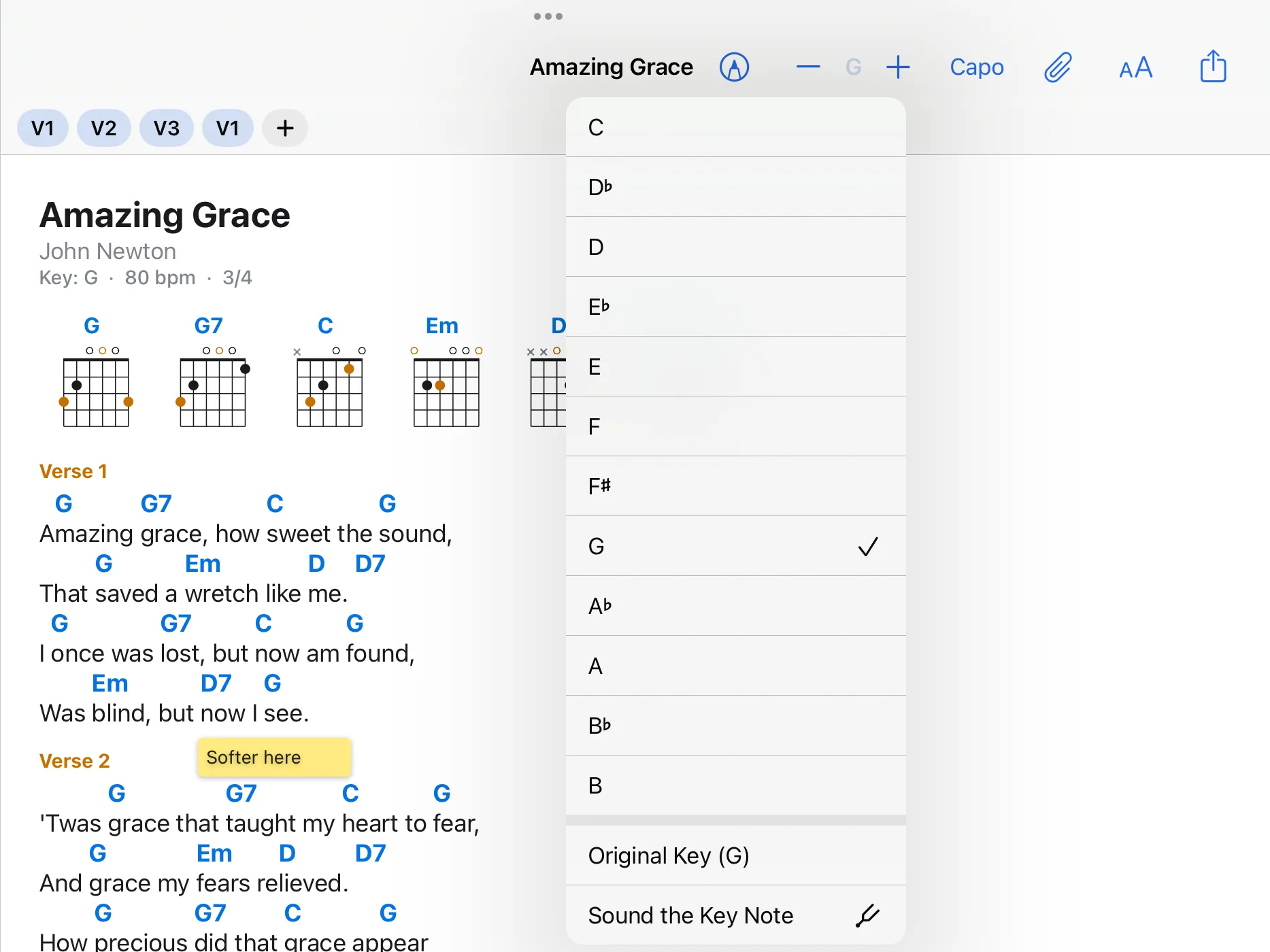
Use plus and minus in the bar, or tap the key and choose one. Original Key (…) goes back to the original key. Your choice applies to this device; the file stays unchanged.
Capo
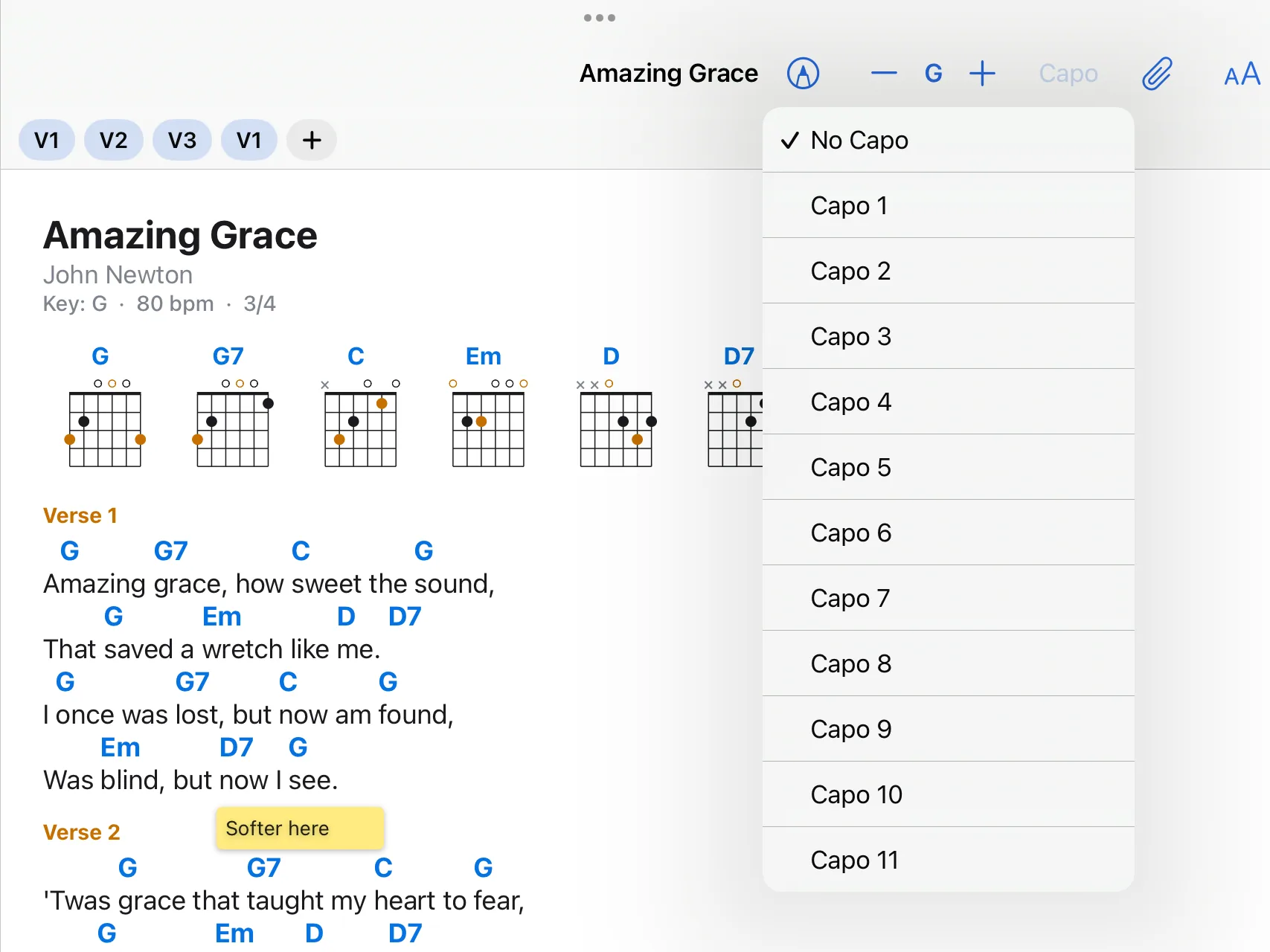
Tap Capo in the bar and choose a fret. The chart shows the chords you play with the capo on. To see the sounding chords as well, open the view menu (“AA”) and choose Capo: Also Show Sounding Chords.
Rewrite for good
- Open the song in the editor (Edit).
- On the left of the chord row, tap Key and choose the new key.
- The app asks what to do: Move the Chords Too rewrites every chord of the song for the new key; Change Only the Key Name leaves the chords as they are, for a song whose key was noted wrongly.
Another notation
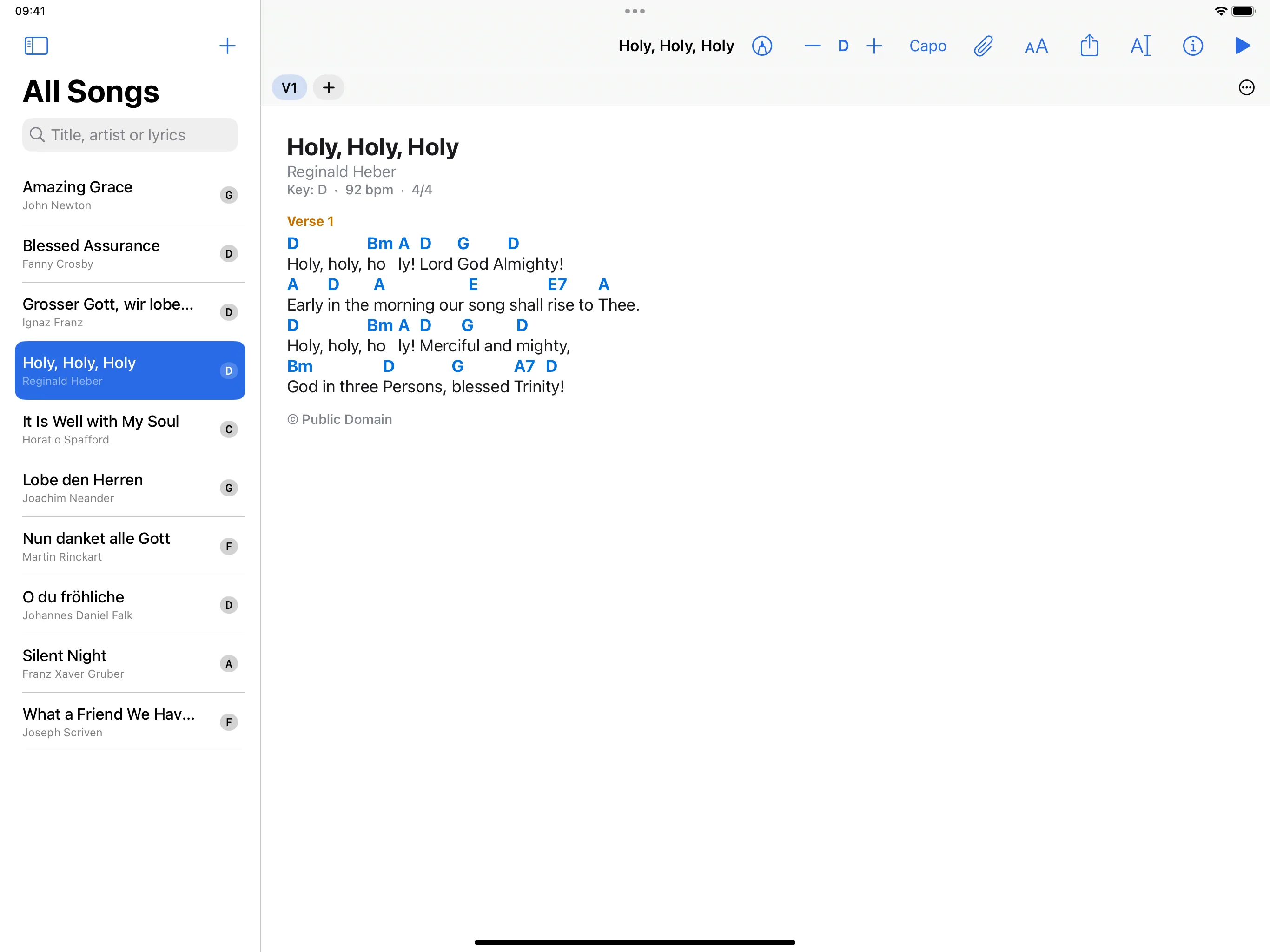
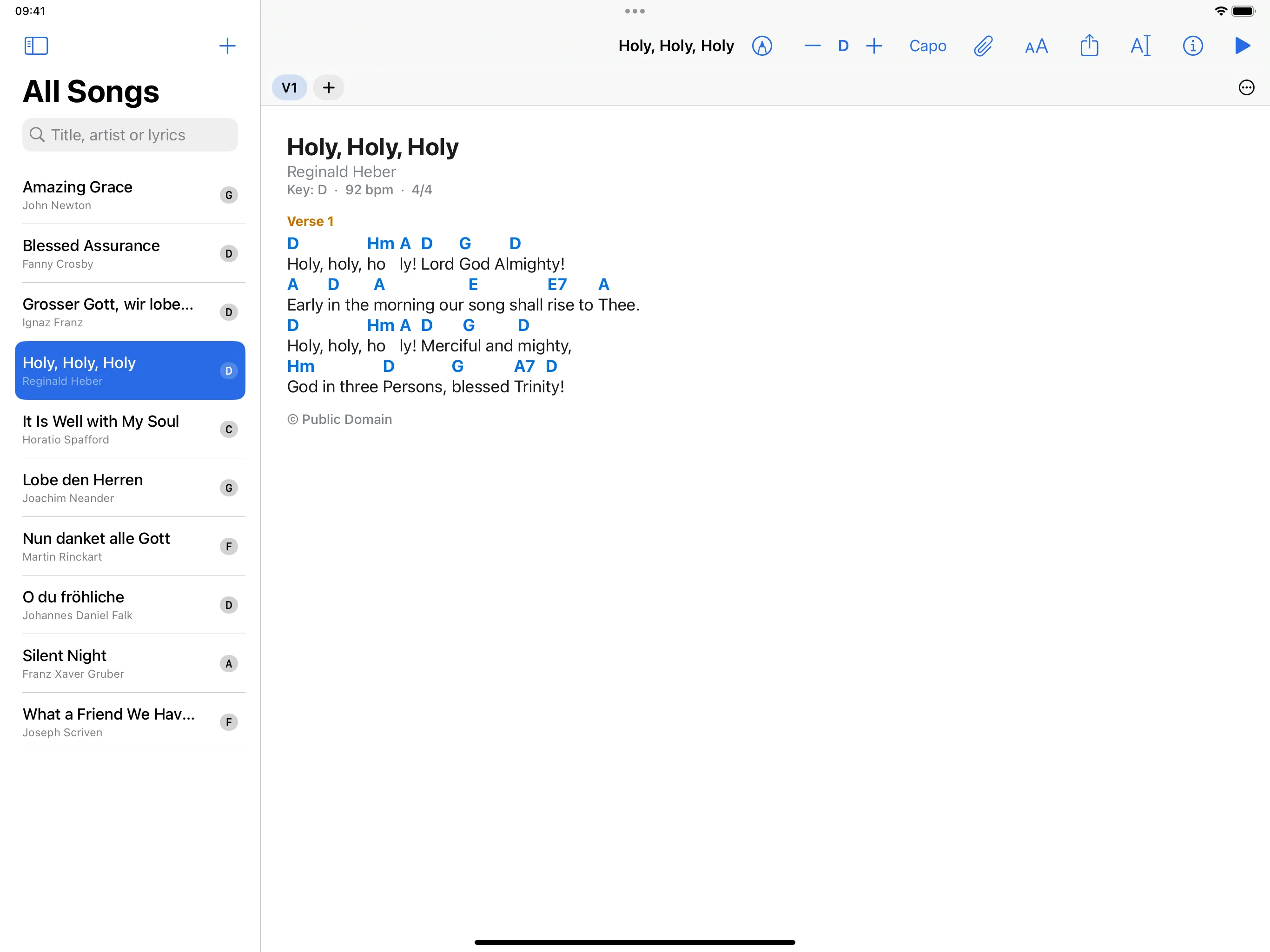
In the view menu (“AA”), choose Letters (C D E F G A B), German (C D E F G A H), Nashville Numbers (1 4 5), Roman Numerals (I IV V), Solfège, Fixed Do or Solfège, Movable Do. In German notation the note above A is called H, and B is the lowered H.
In a set
In a set each song has a key of its own: what you choose there does not change the song in the library or in other sets.
What does not work
Transposing and notation are for chord charts written as text, not for PDFs.