
Bring in your songs
The app reads chord charts as text files (ChordPro, OnSong, chords above the lyrics) and sheet music as PDF or photo.
Import files
- Above the song list, tap the plus, then Import Songs….
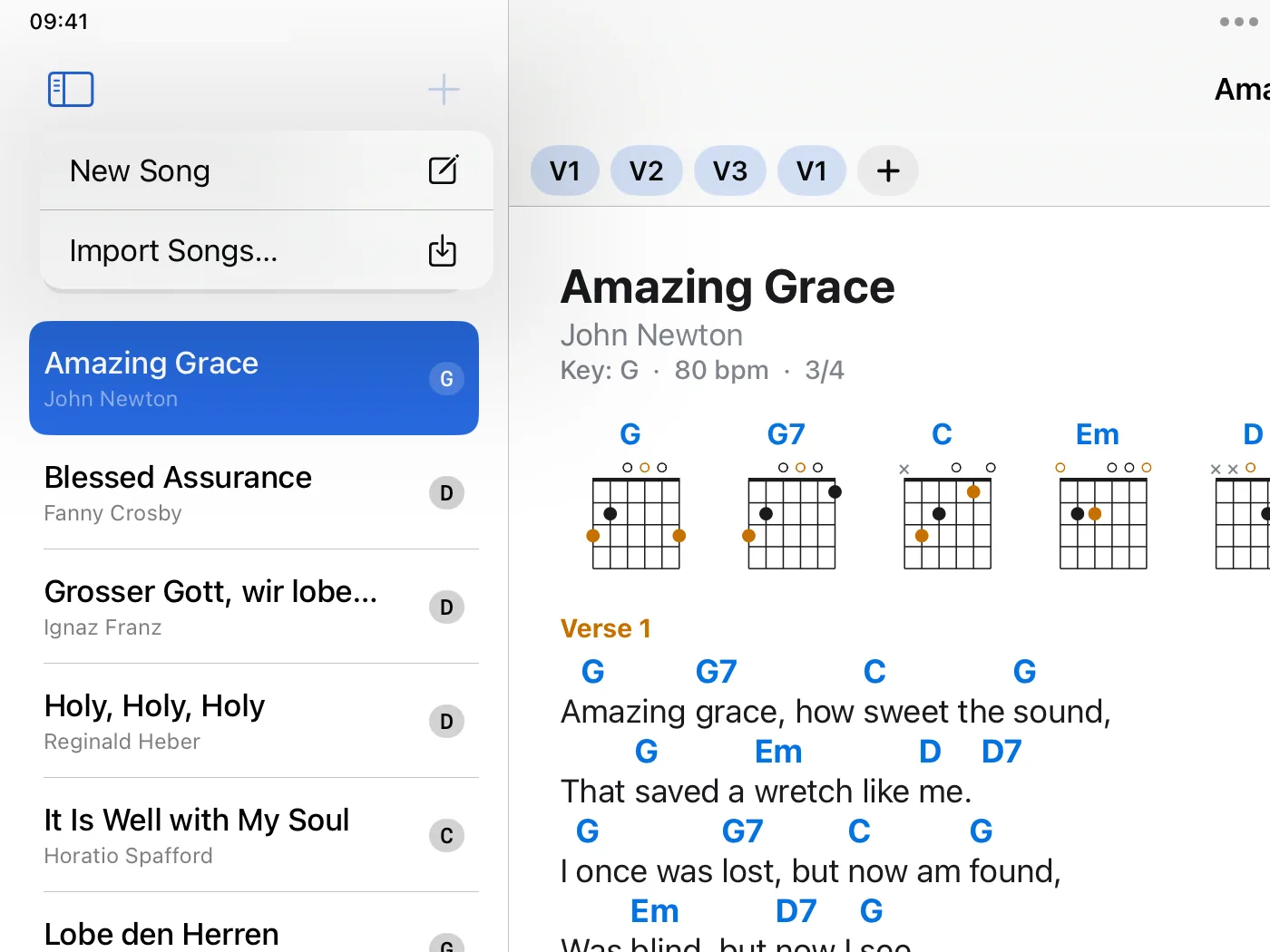
- Choose one or more files, for example from iCloud Drive.
- The songs are then in the list. A PDF becomes a song of its own.
Other ways
- In another app, such as Mail or Files, pass a file to Chord Charts Pro with “Open in”.
- On the Mac, double-click a song file.
- On the Mac and the iPad you can also drag song files into the song list.
A PDF or photo for an existing song
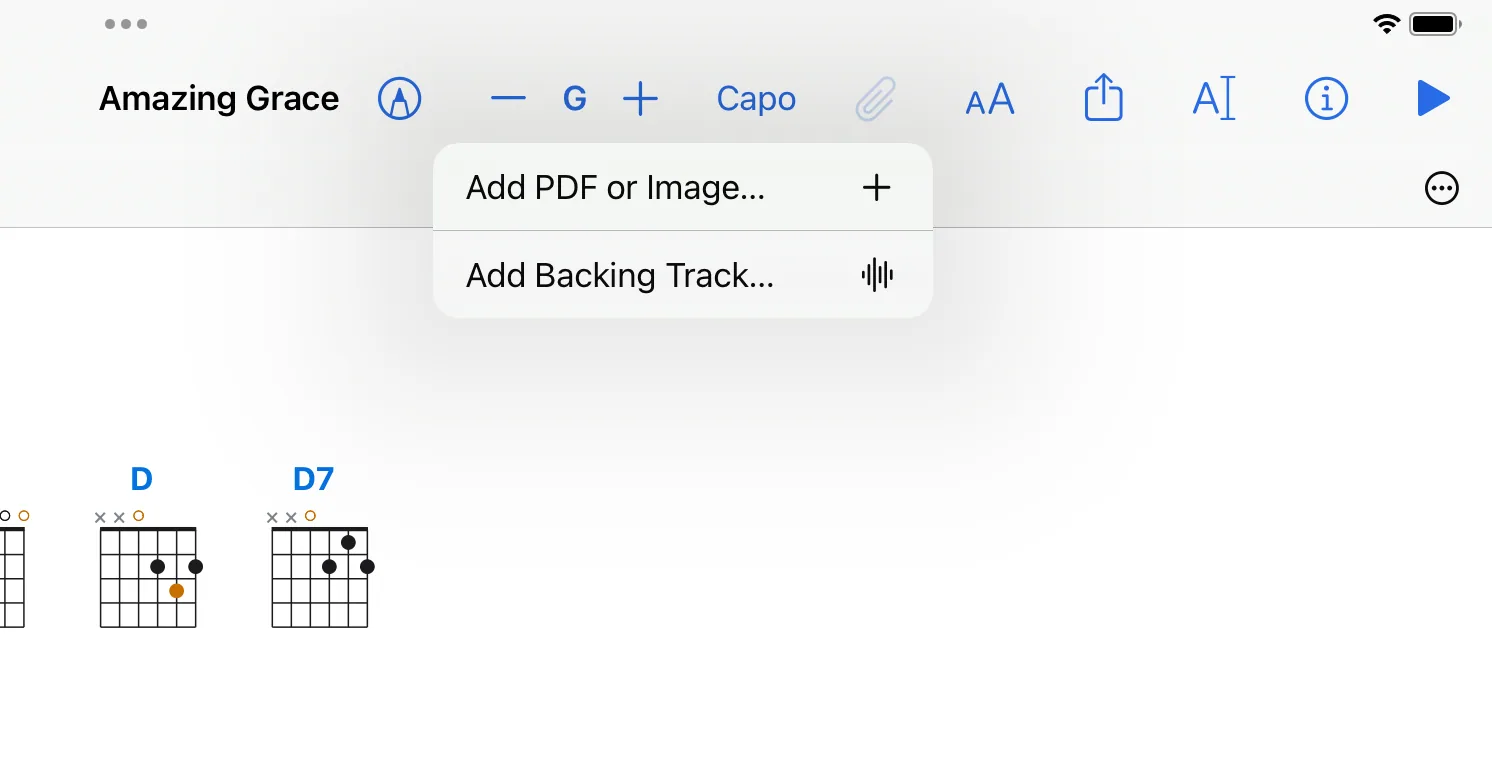
Open the song, tap the paper clip and choose Add PDF or Image…. The same menu then switches between the chord chart and the PDF.
What does not work
- The app does not download songs from the internet and has no song catalogue.
- It does not read backups of other apps as a whole. It does read single files in OnSong format.