
Write a song
Write a song directly in the app, or as a text file. At the end of this page the file format is explained in brief, with three example files to download.
Steps
- Tap the plus above the list, then New Song. The editor opens: the text on the left, the finished chart on the right.
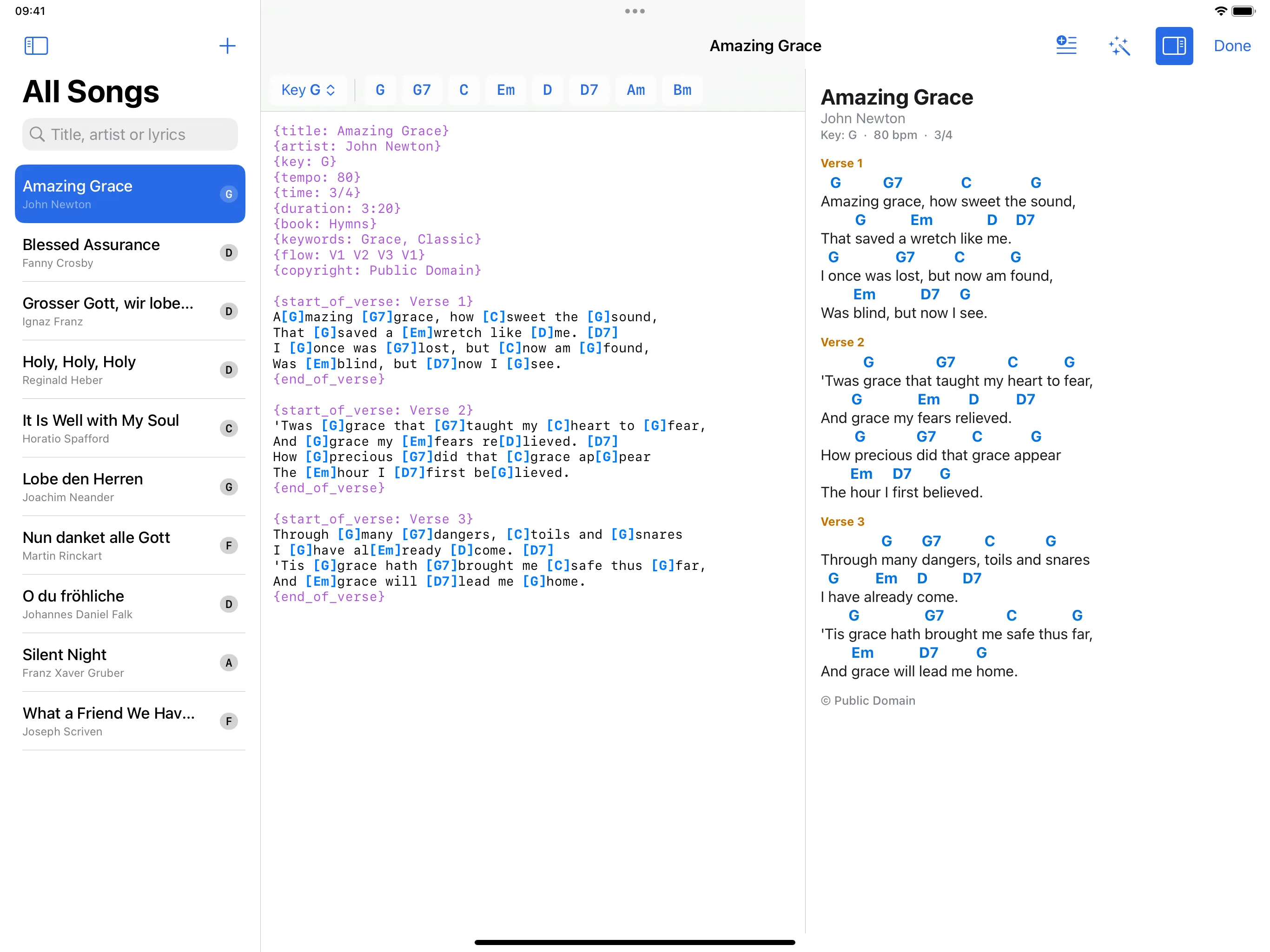
- Type the text. Chords go in square brackets, just before the syllable they fall on:
A[G]mazing [G7]grace, how [C]sweet the [G]sound - The row above the text shows the chords of the song and of its key. A tap inserts the chord at the cursor.
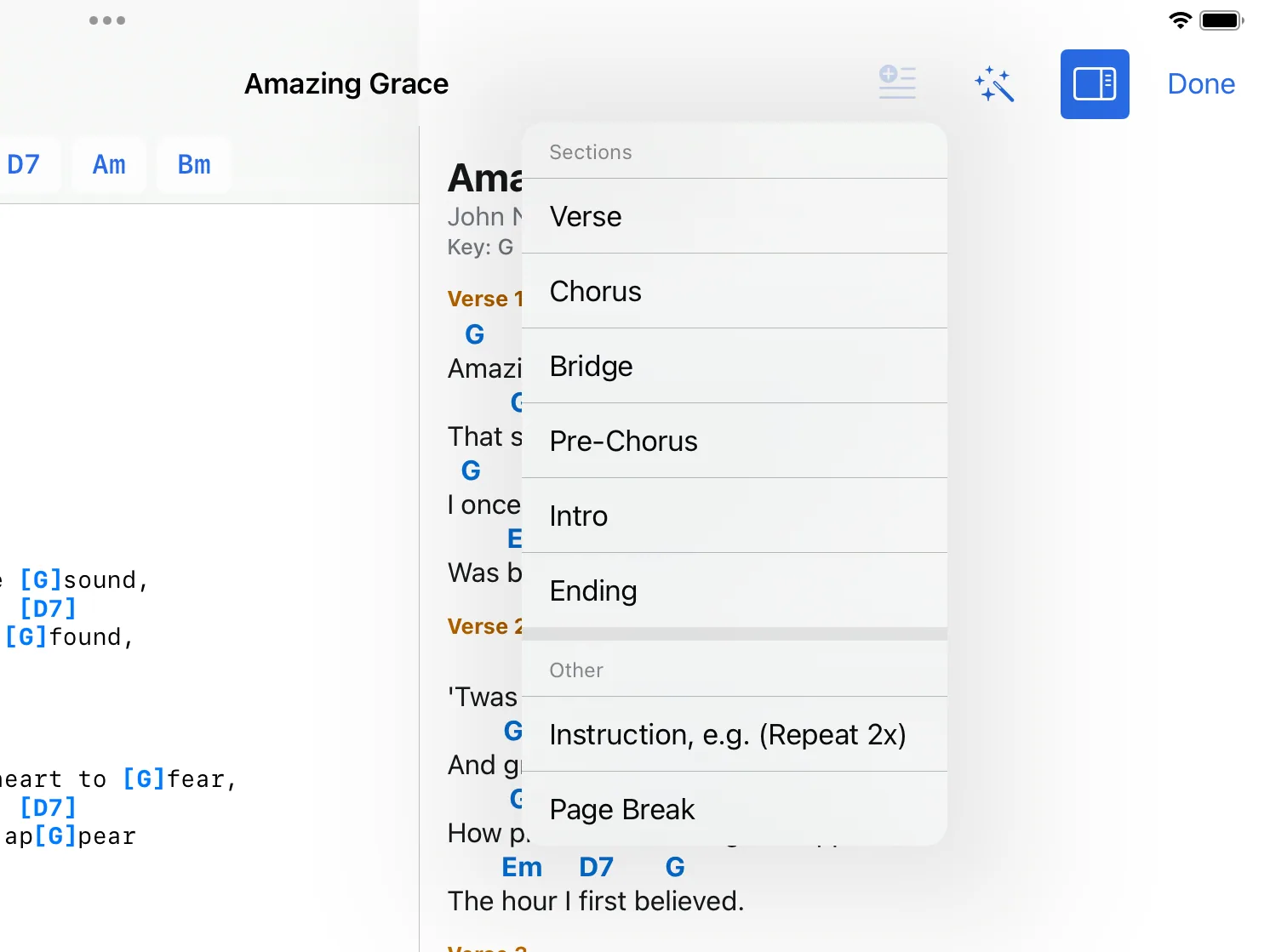
- The insert button at the top adds parts: Verse, Chorus, Bridge, Pre-Chorus, Intro and Ending, as well as Instruction, e.g. (Repeat 2x) and Page Break.
- Done saves the song.
Song details
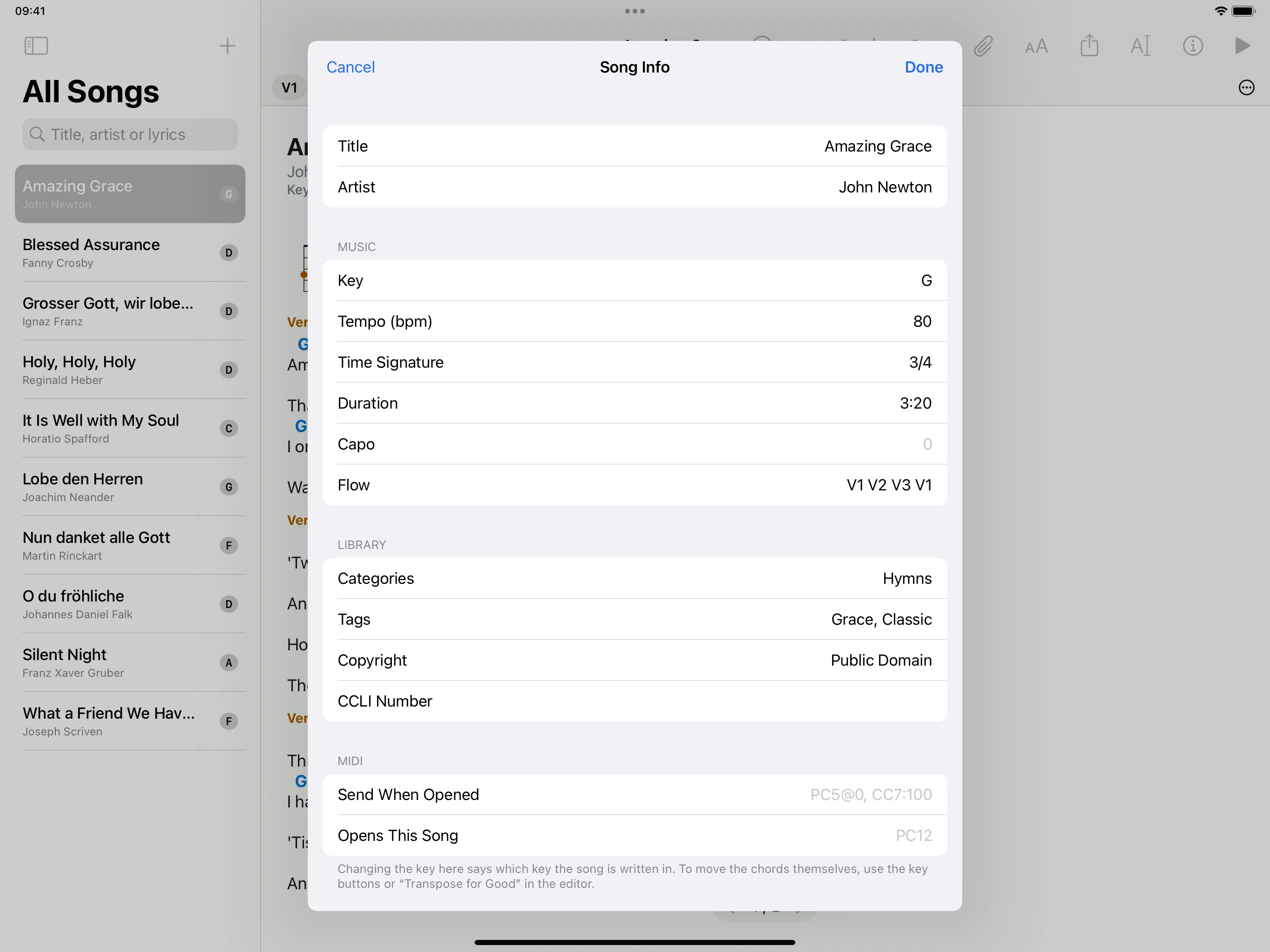
Title, artist, key, tempo, time signature, duration, categories and tags are easiest to enter in the form: open the song, tap “i”, and the Song Info form opens.
Chords above the lyrics
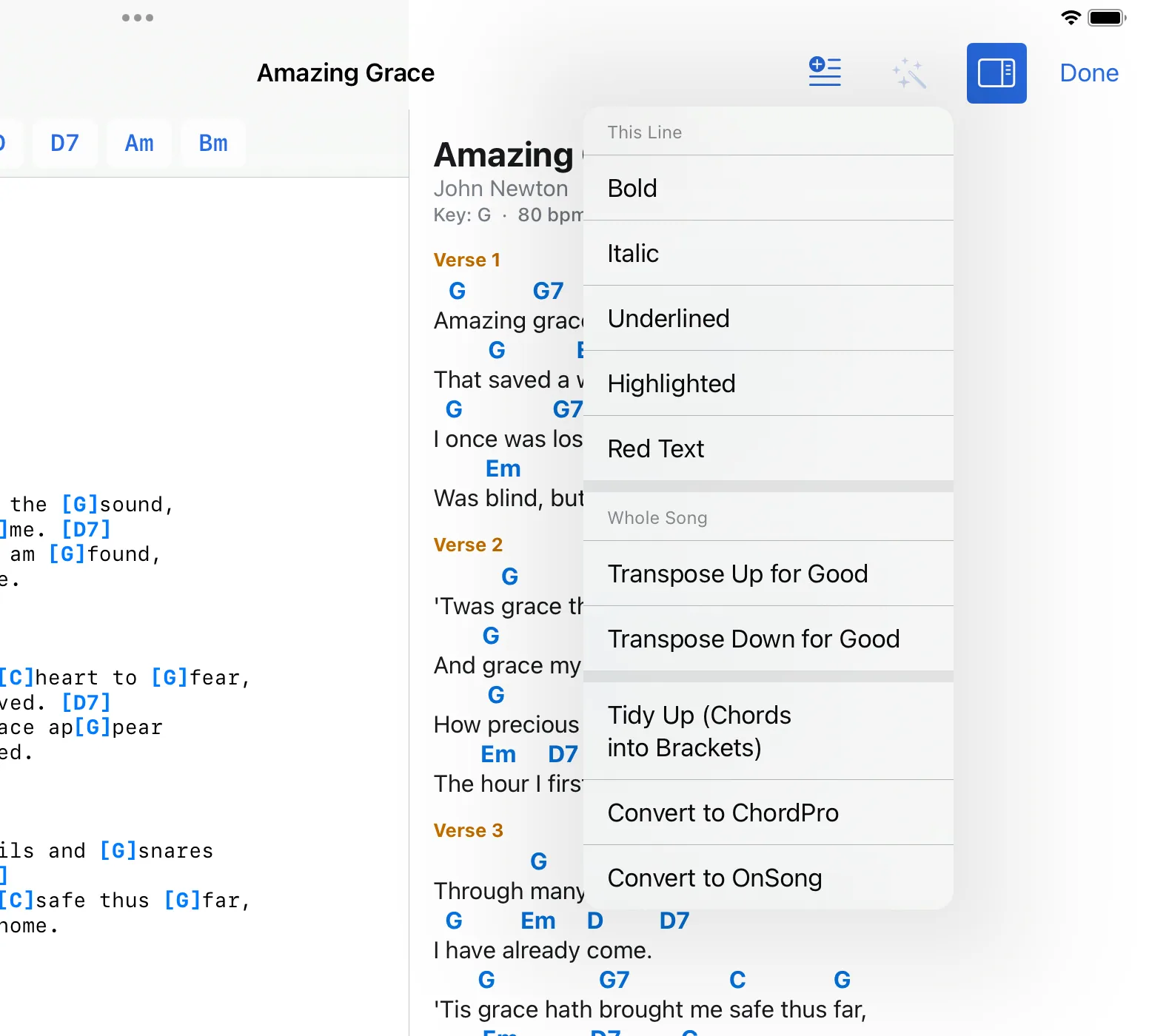
If you paste a song with the chords above the lyrics, from an email or typed from a sheet, the editor can convert it: tap the format button (magic wand), then Tidy Up (Chords into Brackets).
The format in brief
A song is a text file. The app understands three ways of writing it. Each comes with an example file that you can download and import.
ChordPro
Details in curly brackets, chords in square brackets. Beginning of the example file:
{title: Amazing Grace}
{artist: John Newton}
{key: G}
{tempo: 80}
{time: 3/4}
{flow: V1 V2 V3 V1}

{start_of_verse: Verse 1}
A[G]mazing [G7]grace, how [C]sweet the [G]sound,
{end_of_verse}
Example file: amazing-grace.chordpro
OnSong
The first line is the title, the second the artist, then details such as Key: D. Parts begin with a line such as Strophe 1:. A line in round brackets is an instruction. Beginning of the example file, shortened:
Grosser Gott, wir loben dich
Ignaz Franz
Key: D
Tempo: 96
Time: 3/4

Strophe 1:
[D]Grosser Gott, wir [A]loben [D]dich,
[D]Herr, wir [G]preisen [A]deine [D]Stärke.
Example file: grosser-gott-wir-loben-dich.onsong
Chords above the lyrics
A line of chords, with the line of lyrics below it. Part of the example file:
Verse 1:
A
Silent night, holy night,
E7              A
All is calm, all is bright.
Example file: silent-night.txt
Details the app knows
title, artist, key, tempo, time, duration, capo, book (categories), keywords (tags), flow, copyright, ccli. In ChordPro they are written like {key: G}, in OnSong like Key: G.
The flow
The flow names the parts by their short names: the first letter of the name and its number. “Verse 1” is V1, “Chorus” is C, “Bridge” is B; with German names “Strophe 1” is S1 and “Refrain” is R. With {flow: V1 C V2 C B C} the chorus is played three times without being written three times.