
MIDI
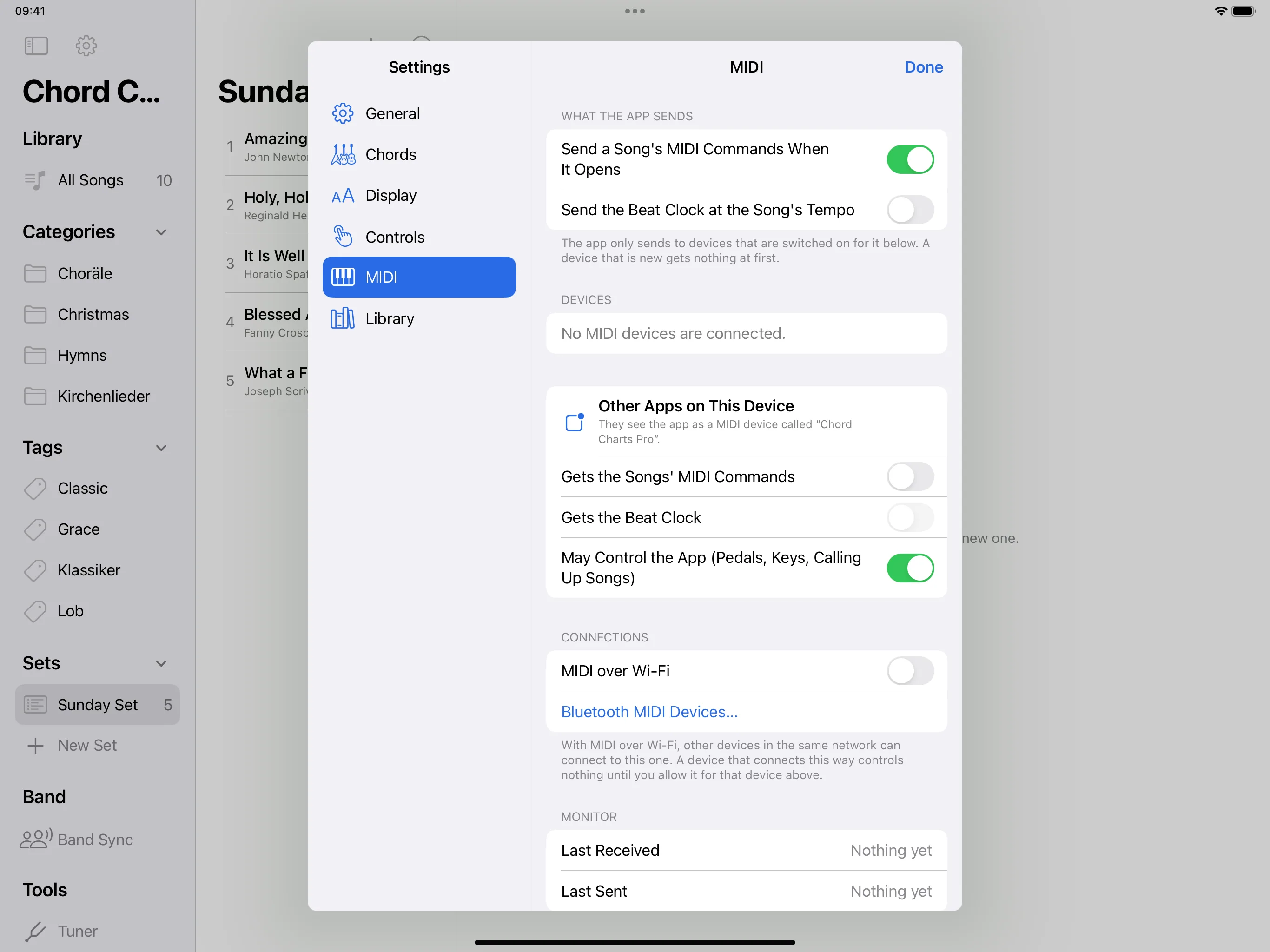
Send MIDI commands when a song opens, call up songs from a controller and send the clock at the tempo of the song.
Devices
Settings → MIDI shows all connected devices (USB, Bluetooth, Wi-Fi). For each device you choose whether it gets the songs’ commands (Gets the Songs' MIDI Commands), whether it gets the clock (Gets the Beat Clock) and whether it may control the app (May Control the App (Pedals, Keys, Calling Up Songs)). A new device gets nothing sent at first.
Send when a song opens
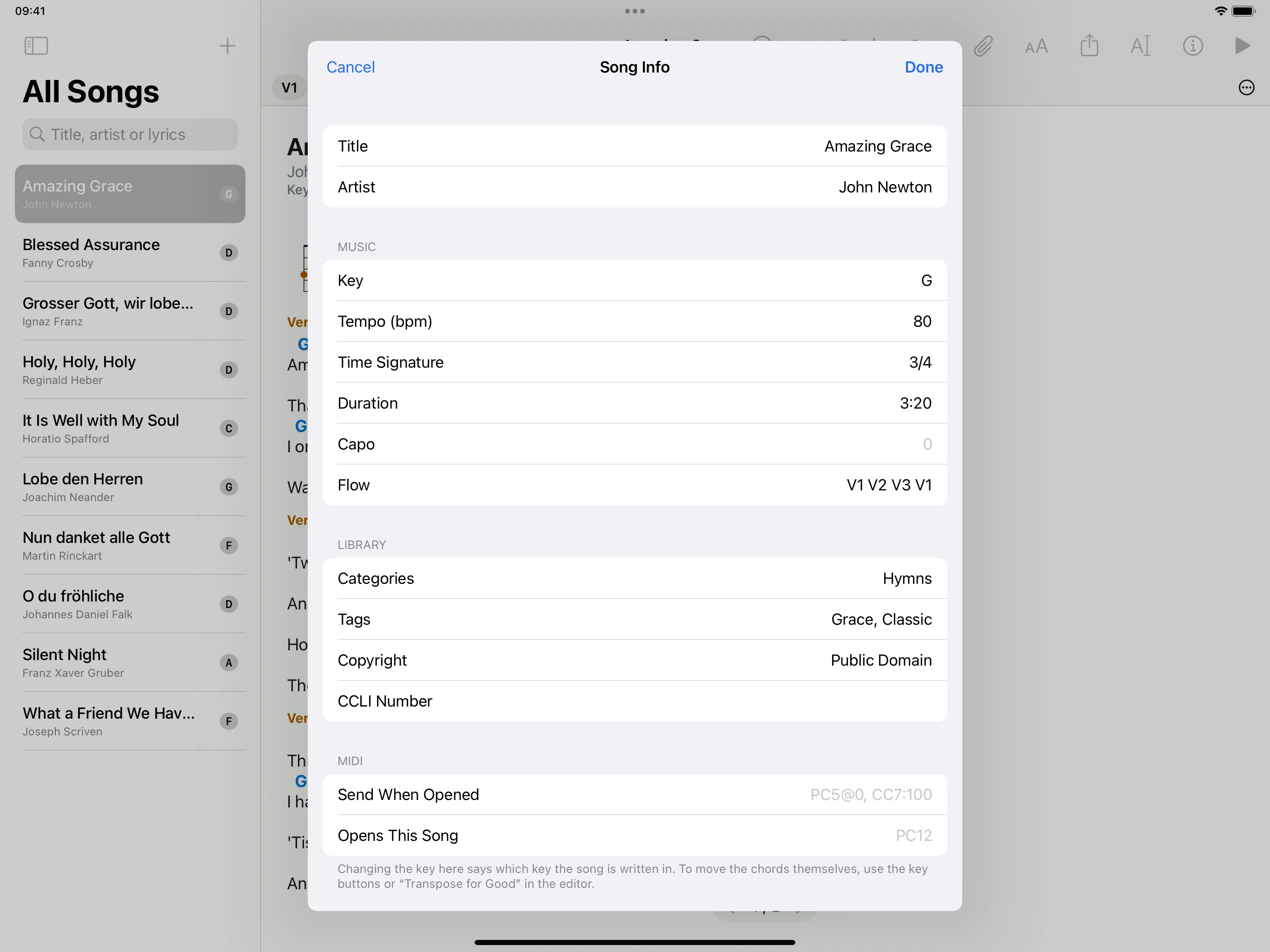
Open the song, tap “i” and, under MIDI, fill in Send When Opened, for example PC5@0, CC7:100: program 5 on channel 0, controller 7 to value 100. All numbers count from 0, the channel too. Without @… the command goes to all channels.
Call up a song
Open the song, tap “i” and, under MIDI, fill in Opens This Song, for example PC12. When this command comes from a controller, the app opens the song.
Clock
Settings → MIDI → Send the Beat Clock at the Song's Tempo.
MIDI pedal
To turn pages with a MIDI pedal, see On stage.