
Chord diagrams and fingerings
A diagram above the song shows how to play each chord, on guitar, ukulele, piano, mandolin, banjo or bass.
Steps
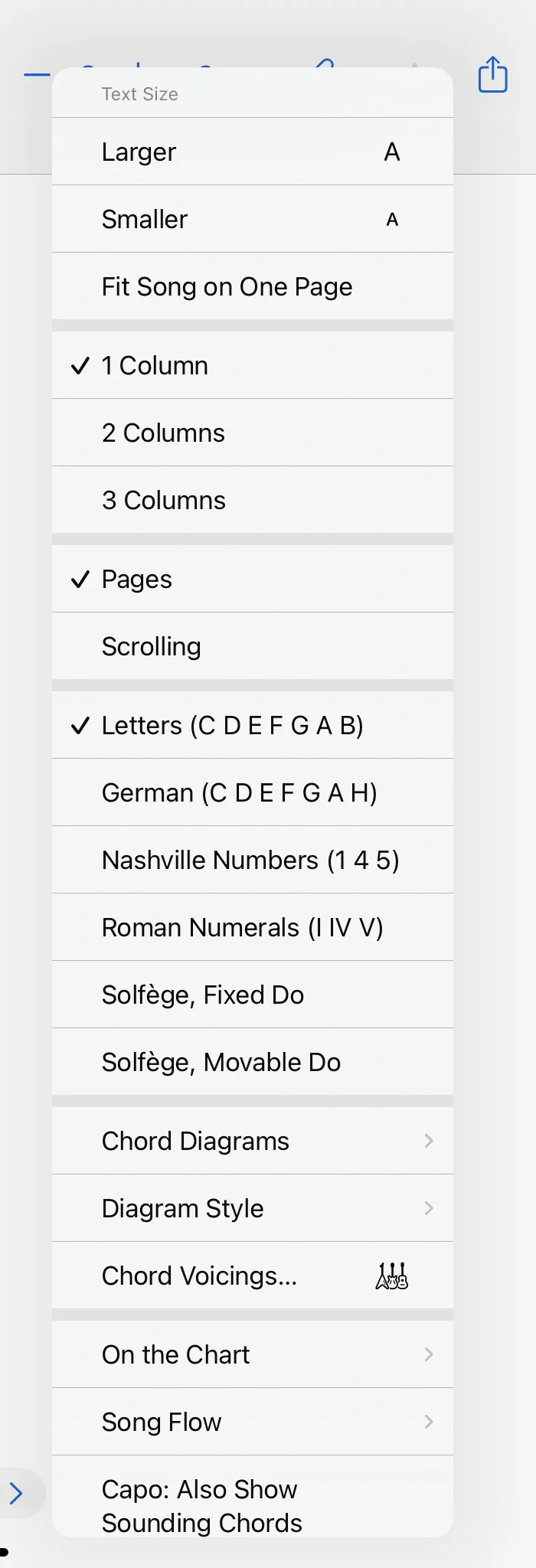
- Open the view menu (“AA”), choose Chord Diagrams and then the instrument: guitar, guitar with gospel voicings, ukulele, piano, mandolin, banjo or bass.
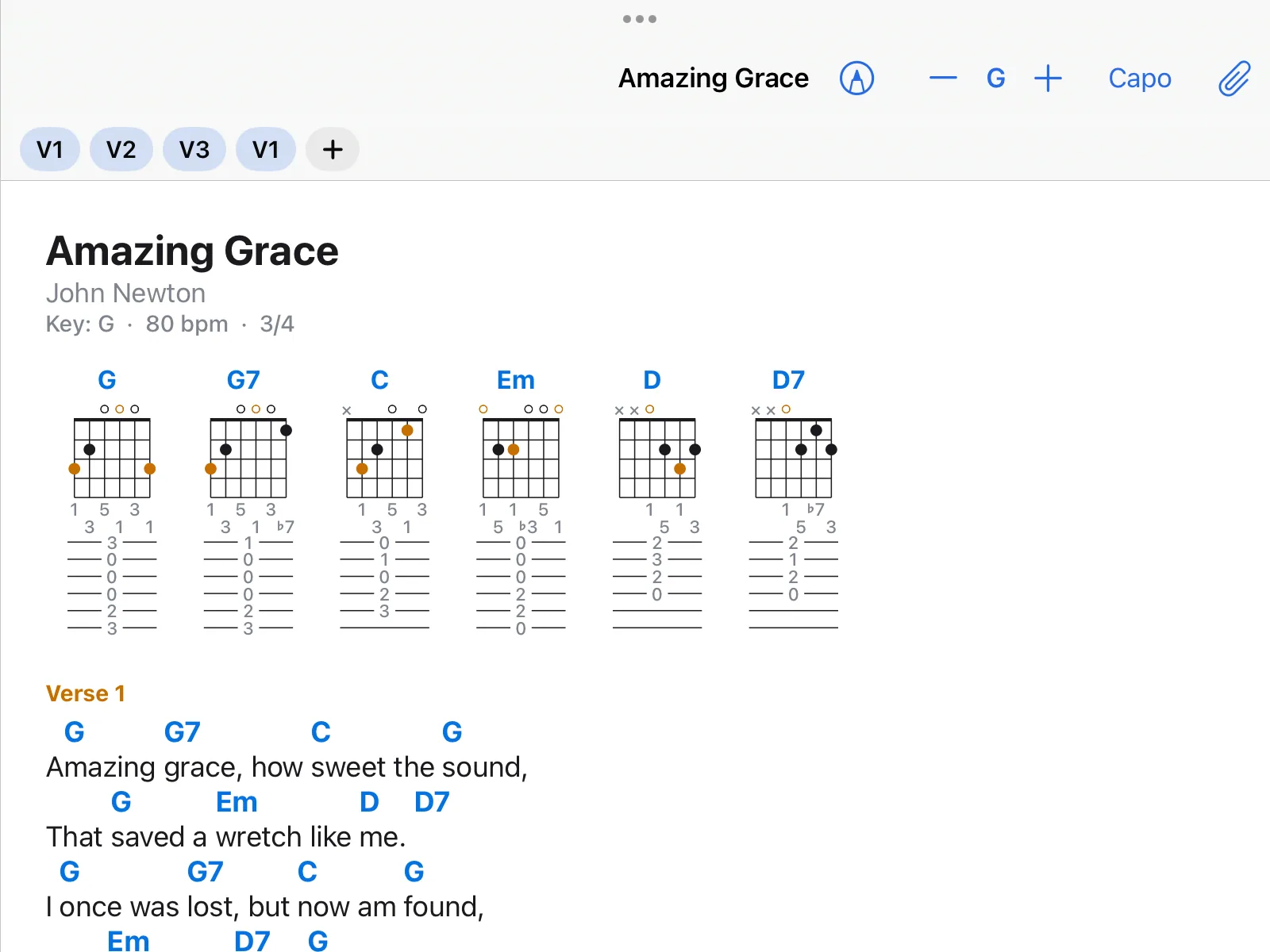
- Above the song there is now a diagram for every chord. It follows key and capo.
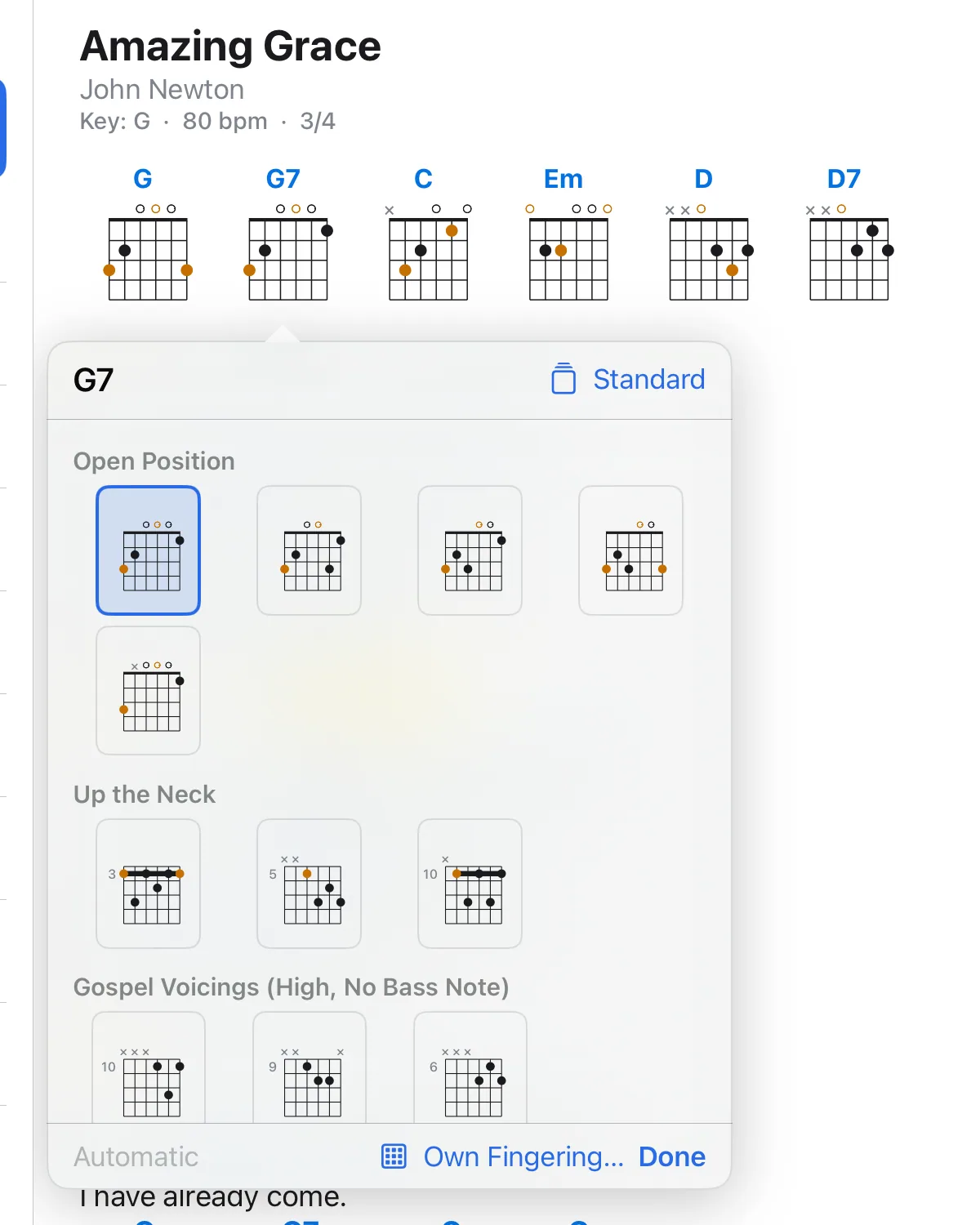
- Tap a diagram to see other fingerings of the same chord. Choose one, then tap Done. Your choice belongs to the song.
- Diagram Style in the same menu switches between fretboard, tablature and both.
Left-handed
Settings → Chords → Left-Handed mirrors the diagrams.
What does not work
Chord diagrams are for chord charts written as text, not for PDFs.